Scheduling and Planning Software Working Together
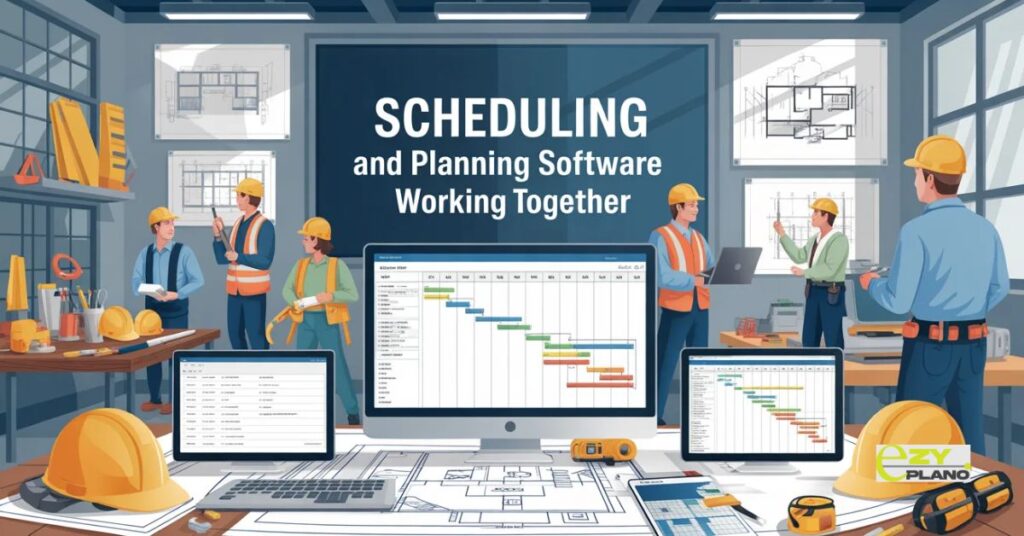
Planning without scheduling means strategy without execution. Scheduling without planning means activity without direction. Scheduling and planning software needs handling both together because separating them creates the coordination problems you’re trying to solve, and teams using integrated tools finally stop fighting the disconnect between what should happen and what actually does.
Most operations treat planning and scheduling as completely separate activities. Different people, different tools, different meetings. Then wonder why plans never match reality.
Why Both Matter
- Planning establishes what needs to happen. Milestones, deliverables, resource requirements, overall timeline. Big picture view of success.
- Scheduling determines how work happens. Daily assignments, specific timing, resource allocation, task sequences. Ground-level execution details.
- Scheduling and planning software recognizes both are necessary. Strategy without tactics fails, tactics without strategy wastes effort. Integration makes both more effective.
- Trying to do one without the other is why projects derail despite careful planning or busy teams accomplishing nothing meaningful.
Where Separation Causes Problems
- Beautiful plans nobody can execute. Strategy looks great on paper but scheduling shows it’s impossible with available resources.
- Busy schedules going nowhere. Everyone works hard on tasks but progress toward actual goals is unclear. Activity without achievement.
- Constant replanning when reality hits. Schedule limitations force plan changes nobody anticipated. Reactive fixing instead of proactive coordination.
- Resource conflicts emerging too late. Plan assumed availability schedule reveals it doesn’t exist. Preventable problems because tools don’t talk.
- Team frustration from disconnect. The office creates plans that can’t be executed. Field schedules work office didn’t plan for. Blame instead of collaboration.
Core Integrated Capabilities
- Single system holding both levels. Plan and schedule to live together. Changes in one place update the other automatically.
- Resource visibility across both. See capacity during planning, allocate realistically during scheduling. Consistent view preventing overcommitment.
- Timeline synchronization automatically. Plan sets milestones, schedule shows path reaching them. Alignment without manual reconciliation.
- Progress tracking updating both. A complete scheduled task plan reflects advancement. Current status is always visible.
- Scenario modeling with real constraints. Test plan changes seeing schedule impacts. Decisions informed by execution reality.
- Dependency management linking levels. Strategic dependencies drive scheduling sequence. Tactical delays update strategic timeline.
Different Operation Needs
- Project-based work coordinating complex efforts. Construction, software development, event planning. Strategic direction with tactical execution.
- Service operations balancing workload. Consulting, maintenance, field services. Resource planning with daily scheduling.
- Manufacturing coordinating production. Strategic capacity planning with detailed production scheduling. Long-term and immediate needs.
- Multi-location operations synchronizing efforts. Regional plans with local schedules. Coordination across distributed teams.
- Seasonal businesses planning for fluctuations. Strategic staffing plans with flexible daily scheduling. Adapting to changing demand.
Making Integration Work
- Start with a planning framework. Establish strategic direction first. Schedule fills in execution details within that framework.
- Keep planning high-level initially. Detailed planning creates a maintenance burden. High-level milestones let scheduling handle specifics.
- Schedule informs planning adjustments. Execution reality feeds back to strategy. Bidirectional learning improves both.
- Clear ownership between levels. Who manages strategic plans versus daily schedules. Prevent conflicts from unclear responsibilities.
- Regular synchronization reviews. Check alignment between plan and schedule. Adjust either when gaps emerge.
- Technology connecting not separating. One system or tightly integrated tools. Separate systems recreate the disconnect you’re solving.
Common Integration Mistakes
- Planning in too much detail. Trying to plan everything specifically. Scheduling can’t follow rigid detailed plans when reality varies.
- Scheduling without strategic context. Optimizing daily tasks ignoring project goals. Local optimization creates global problems.
- Updating one without the other. Schedule changes but plan stays static. Information gap recreating disconnect.
- Different people never communicate. Planner and scheduler working independently. Integration is impossible without collaboration.
- Forcing schedule to match plan. Reality shows’ plan is wrong but refusing to adjust. Rigidity creates failure.
- Blaming execution for bad planning. The schedule couldn’t achieve an unrealistic plan. Fault lies in planning not execution.
Software Selection Considerations
- Single platform versus integrated separate tools. One system is simpler but might compromise on depth. Integrated tools offer specialization with connection complexity.
- Planning detail level supported. High-level strategic versus detailed tactical planning. Match software capability to planning approach.
- Scheduling flexibility needed. Rigid schedules or frequent changes. Software must handle your change frequency.
- Resource management depth. Simple availability or complex skills and certifications. Tracking requirements determine features needed.
- Real-time updates versus batch synchronization. Immediate changes visible or periodic updates. Timing needs affecting user experience.
- Mobile requirements for field access. Desktop planning with mobile scheduling. Different users have different access needs.
Implementation Approach
- Phase integration gradually. Start with basic connection, add sophistication over time. Full integration immediately overwhelms everyone.
- Train on integration benefits. Why connection matters, how to leverage it. Understanding purpose improves adoption.
- Establish workflows spanning both. How does the plan inform schedule, schedule update plan. Processes making integration real.
- Measure integration effectiveness. Are plans and schedules aligned? Does progress reflect reality? Track synchronization quality.
- Adjust based on actual usage. What integration features help versus confusion. Refine based on team experience.
- Celebrate successful coordination. Recognize when integration prevents problems. Positive reinforcement building commitment.
Real-World Benefits
- Plans become achievable not aspirational. Grounded in scheduling reality from the start. Realistic commitments to stakeholders.
- Schedules serve strategic purposes. Daily work connects to meaningful goals. Motivation from understanding contribution.
- Changes propagate intelligently. Modifying one place adjusts the other appropriately. Coordination without manual reconciliation.
- Resource utilization improves. Planning and scheduling both see the same capacity. Optimal allocation across strategic and tactical.
- Communication between office and field. A shared system creates a common language. Less translation between perspectives.
EZY PLANO Integrated Design

- Platforms like EzyPlano build planning and scheduling together from the start. Not separate modules forced to connect. Purpose-designed integration understanding both needs.
- What makes EzyPlano effective? Planning features respect scheduling constraints. Scheduling tools connect to strategic context. Balance between levels built into design.
- For operations needing coordinated planning and scheduling, solutions like this work. Integration without forcing unnatural separation or awkward reconnection.
- Scheduling and planning software succeeds through genuine integration. Good software connects strategy with execution naturally. Bad software maintains disconnect with separate tools pretending to integrate.
- Better operations require both planning and scheduling working together. Strategic direction informed by execution reality, daily work guided by meaningful goals.
Questions About Integration
Can we use different tools for planning versus scheduling if they integrate?
- Technically yes but integration is never as smooth as a single platform. APIs have limitations, synchronization lags occur. A unified system is simpler unless specialized needs require separate tools.
Who should own the integrated system, office or field?
- Both need access and ownership. The office manages planning, field handles scheduling, both see the other’s work. Shared responsibility not territorial control.
What if our planning and scheduling happen at different frequencies?
- That’s normal actually. Plan updates monthly, schedule changes daily. Software should handle different update cadences without forcing everything to the same rhythm.