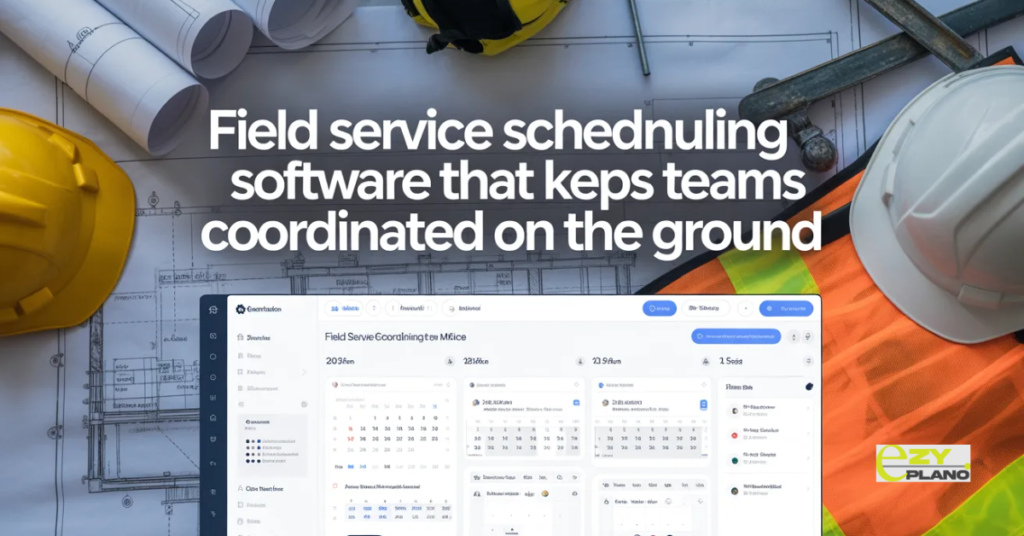
Field Service Scheduling Software That Keeps Teams Coordinated on the Ground
Field service businesses run on coordination. The right person with the right skills and the right equipment arriving at the right place at the right time. When that coordination works the business runs smoothly. When it does not, the consequences are immediate and visible. Jobs missed. Customers waiting. Teams driving past each other on the motorway going to the wrong locations. Revenue lost because nobody knew a job was available.
Field service scheduling software is what makes that coordination manageable at scale. Not by removing the complexity of running field teams but by giving the people responsible for scheduling a clear enough picture of what is happening to make good decisions before things go wrong rather than after.
What Field Service Scheduling Actually Involves
- Field service scheduling looks different depending on the type of business but the core challenge is consistent across most of them. You have a team of people. You have a set of jobs or tasks. Each job has requirements around skills, equipment and timing. Each team member has a schedule, a location, a skill set and a capacity limit. Getting these things to match consistently across a busy operation is genuinely difficult without proper tools.
- The daily reality of field service scheduling involves more moving parts than the clean version of the problem suggests. Jobs that were not booked yesterday that need to happen today. Team members who called in sick this morning. A job that was supposed to take two hours and is now going into hour four with the next job already waiting. Emergency callouts that need someone to drop everything. All of this happening simultaneously while the phone keeps ringing with new bookings and customer enquiries.
- Manual scheduling through spreadsheets, whiteboards and a good memory works up to a point. Most field service businesses know exactly when they hit that point because the missed appointments and the complaints and the double bookings start arriving faster than they can be resolved.
The Types of Business That Need This
- Field service scheduling software serves a wide range of businesses that share the challenge of deploying people to locations to carry out work. The specific requirements vary but the underlying scheduling challenge is similar.
- Trade contractors. Plumbers. Electricians. HVAC engineers. Glaziers. These businesses deploy skilled tradespeople to customer sites for jobs that vary in duration and complexity. Scheduling requires matching trade qualifications to job requirements, managing travel time between jobs and handling the emergency callouts that are part of the business without wrecking the day’s planned schedule.
- Maintenance and facilities management. Planned preventive maintenance across a large estate of buildings or assets. Reactive maintenance when something breaks. Managing the mix of planned and reactive work across a team of engineers is a scheduling challenge that requires visibility of the full maintenance programme alongside the day to day reactive demands.
- Property services. Cleaning. Landscaping. Pest control. Security. These businesses often run repeat service schedules across large numbers of customer sites with the scheduling challenge of ensuring consistent coverage without excessive travel time between sites.
- Construction and infrastructure inspection. Engineers inspecting infrastructure assets. Surveyors assessing properties. Compliance inspectors verifying regulatory requirements. These businesses need to schedule skilled professionals against inspection programmes while managing the geographic spread of assets efficiently.
- Utilities and telecoms field operations. Fault repair and installation work across network infrastructure. The scheduling challenge here is particularly complex because fault work is inherently unpredictable and needs to be managed alongside planned installation programmes.
What the Software Actually Needs to Do
- The capabilities that matter most in field service scheduling software reflect how field service work actually happens rather than how a demonstration video presents it.
- A live view of the day across the whole team. Not a static plan produced at the start of the day. A live view that shows where everyone is, what they are doing, how far through their current job they are and what is coming next. This live visibility is what allows dispatchers to respond to the unexpected rather than discovering at 4pm that the day fell apart by 10am.
- Smart job allocation based on skills, location and availability. The right person for the job is not just the available person. It is the person with the right skills, the right equipment, the right certification for the specific job type and the right location to get there without creating excessive travel time. Scheduling tools that understand these constraints and match jobs to people accordingly reduce both the mismatches that produce unhappy customers and the travel waste that erodes margins.
- Real time updates from the field. The job that has been started. The job that is running over. The job that has been completed. The issue that has been discovered that changes what the next job needs. This information needs to travel from the field back to the scheduling team in real time rather than at the end of the day when it is too late to act on it.
- Customer communication that happens automatically. Appointment confirmations. Arrival windows. Updates when timing changes. Completion confirmations. Customers who know what is happening and when do not call the office asking where the engineer is. That call volume reduction alone justifies the investment in a system that handles customer communication automatically.
- Job history and asset information accessible in the field. The engineer who arrives at a job knowing the service history of the asset they are working on, the parts that have been used previously and the issues that were flagged on the last visit is better equipped to do the job than one arriving without that context. Field access to job history is not a nice to have. It is what separates professional service delivery from reactive problem solving.
The Platforms Worth Knowing
- The field service scheduling software market has developed specific platforms for different operational contexts. Understanding where each site helps match the evaluation to the actual business need.
- ServiceTitan serves trade service businesses with comprehensive scheduling, dispatch and job management alongside customer management, estimating and invoicing. The depth of functionality reflects the complexity of running a trade service business end to end. The cost and implementation reflect that comprehensiveness. Strong for larger trade businesses where the full platform investment is justified.
- Jobber serves smaller field service and trade businesses with accessible scheduling, customer management and invoicing in a package that growing businesses can get value from quickly. The mobile experience for field teams is practical. The depth of scheduling optimization is less developed than the larger platforms but the accessibility makes it genuinely usable for businesses that do not have dedicated schedulers.
- Fieldwire focuses on construction field management including task scheduling, drawing access and issue management. Strong for construction site coordination where the scheduling challenge is about managing field activities on a project rather than dispatching service engineers to customer sites.
- ServiceMax serves field service businesses with complex asset management requirements. Strong where the asset being serviced is the centre of the service relationship rather than the customer site being the centre. Good for capital equipment service and maintenance operations.
- Skedulo handles intelligent scheduling and dispatch for mobile workforces with a focus on optimisation. The scheduling algorithms that match jobs to workers efficiently across geographic areas are a genuine strength. Works well for businesses with large field teams and high job volumes where optimisation across the schedule produces meaningful efficiency gains.
- FieldPulse serves smaller trade and field service businesses with job scheduling, customer management and team coordination in an accessible package. The simplicity that makes it usable for small businesses is also the characteristic that limits it as scheduling complexity grows.
- EZY PLANO serves construction and project based field operations where the scheduling challenge is connected to a project programme rather than to an independent service schedule. The connection between the field activity schedule and the project programme means changes in the programme automatically surface their implications for the field team schedule. Multi-site visibility across concurrent projects. Mobile access designed for construction site conditions. For businesses whose field work is project based rather than service based EzyPlano serves the construction specific scheduling context rather than the service dispatch context.
The Mobile Experience That Determines Whether the System Gets Used
- The most consistent reason field service scheduling systems fail in practice is the mobile experience. Not the functionality available on desktop. The experience that field engineers and service technicians actually have when they try to use the system on a phone between jobs.
- Field teams have specific mobile requirements that office software adapted for mobile does not serve well. They need to see their jobs for the day clearly without navigating multiple screens. They need to update their job status in seconds, not minutes. They need to access job information without a strong data connection because field locations do not always have reliable signals. They need to log issues and take photos quickly rather than through a process designed for someone with time and attention to spare.
- The mobile experience that actually gets used in the field is the one where the most common actions take less time than the alternative of calling the office. When logging a job completion is faster through the app than sending a text the app gets used. When checking tomorrow’s schedule is easier through the app than calling dispatch the app gets used. When neither of those things is true field teams bypass the system and the scheduling visibility that the whole investment was supposed to create never materialises.
Connecting Scheduling to the Rest of the Business

- Field service scheduling software that sits in isolation from how the business manages its finances, customer relationships and job history creates manual reconciliation work that often negates much of the efficiency gained from the scheduling itself.
- Job data from the field that flows automatically into invoicing reduces the lag between job completion and billing. Asset service history that is connected to the scheduling system means the right information is available at the point of scheduling rather than having to be assembled from a separate system. Customer communication that is triggered by scheduling events rather than manually initiated reduces the office workload that customer management creates.
- These connections between the scheduling function and the broader business operation are what turn field service scheduling software from a tool that improves coordination into one that genuinely improves how the whole business works.
Questions Worth Asking
How do we handle emergency jobs without wrecking the planned schedule for the day?
- Look for scheduling tools that show the impact of inserting an emergency job on the rest of the day’s schedule before committing to it. The dispatcher who can see that accepting an emergency job at 10am means the 2pm appointment will be late can make an informed decision and manage the customer proactively rather than discovering the conflict when the engineer is already running behind.
How do we get field teams to update job status consistently without it feeling like surveillance?
- Frame it around what the field team gets rather than what management gets. Engineers who can see their full day clearly, who get notified when job details change and who have job history available in the field have a reason to engage with the system. Those who see it only as reporting to head office do not.
How do we evaluate whether a scheduling system will actually work for our specific type of field work rather than for the generic field service scenario most demos show?
- Test it on a real day of real jobs rather than a prepared demonstration scenario. The complexity of your actual scheduling challenge reveals whether the system handles your specific work or whether it handles the simplified version that looks good in demos.