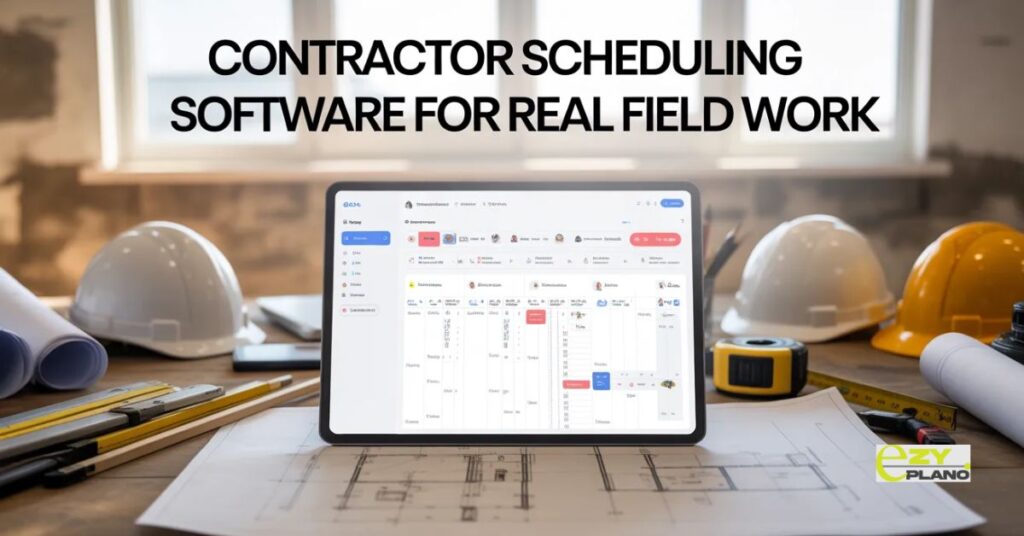
Contractor Scheduling Software For Real Field Work
Scheduling contractors with phone calls and text messages is chaos. Missed communications, double bookings, nobody knowing who’s where. Contractor scheduling software brings order to field work coordination, and companies using it finally stop playing phone tag all day just keeping crews on track.
Most contractors still coordinate schedules through endless calls. Morning starts with twenty phone conversations figuring out who goes where. By afternoon, half the plan changed.
The Coordination Problem
- Traditional contractor scheduling is reactive communication. Someone calls asking where they work today. You tell them, they go there, maybe they update you later.
- Contractor scheduling software makes schedules visible and accessible. Everyone sees their assignments, updates happen in real time, changes propagate automatically. Coordination without constant calling.
- The difference between telling people individually versus showing everyone at once changes daily operations completely.
Why Contractors Need This
- Morning coordination time disappears. No calling everyone. They check the schedule on phones seeing their day planned.
- Double bookings stop happening. The system catches when you assign the same person to two places. Fix conflicts before crews show up confused.
- Client communication improves. Show customers when crews arrive without searching through texts and notes. Professional updates build trust.
- Vehicle and equipment tracking. Know which truck has what tools. Prevent crews showing up without necessary equipment.
- Location visibility for emergencies. Need someone urgently? See who’s closest to the emergency job. Quick response when situations demand it.
- Time tracking happens automatically. Crews check in at job sites. Accurate records for billing and payroll without manual timesheets.
Core Software Capabilities
- Mobile-first design for field workers. Contractors check schedules on phones not desktops. Easy viewing while driving between jobs.
- GPS check-in at job sites. Verify crews arrived where assigned. Automatic time tracking without manual entry.
- Real-time schedule updates. Change assignment, crew sees it immediately. No lag between update and notification.
- Job detail access. Address, contact info, special instructions, photos. Everything needed for a job in one place.
- Route optimization for efficiency. Schedule jobs minimizing travel time. Less driving means more billable work.
- Customer communication integration. Automated arrival notifications, completion updates. Clients stay informed without manual messaging.
Different Contractor Types
- General contractors managing multiple crews. Coordinate several teams across different job sites daily. See the entire operation at glance.
- Specialty contractors like plumbers or electricians. Schedule service calls efficiently. Optimize routes between client locations.
- Renovation contractors juggling projects. Balance crews across multiple active renovations. Prevent scheduling conflicts between jobs.
- Maintenance contractors with recurring work. Regular service schedules, emergency calls, routine inspections. Mix of planned and reactive work.
- Landscaping companies scheduling seasonal work. Weather-dependent schedules, crew assignments, equipment allocation across properties.
Making Mobile Work Right
- Simple interface contractors actually use. Complicated apps get ignored. Clean simple screens showing what matters.
- Works offline for remote sites. Patchy cell service common in field work. Syncs when connection returns.
- Quick check-in process. Tap button arriving at site. Complicated multi-step processes don’t happen in reality.
- Photo documentation built in. Take pictures at job sites. Visual records for customers and internal tracking.
- Two-way communication with the office. Crews report issues or ask questions. The office responds without phone calls.
- Notifications that don’t overwhelm. Important updates only. Too many alerts get ignored fast.
Common Scheduling Mistakes
- Over-scheduling without buffer time. Every job runs perfectly in theory. Reality includes traffic, complications, delays. Build slack into schedules.
- Ignoring travel time between jobs. Back-to-back appointments across town. Crews arrive late making customers unhappy.
- Not updating the schedule when changes happen. Plan changes but nobody tells crews. They show up to the wrong places.
- Forgetting about equipment and materials. Schedule job without checking tool availability. The crew arrives unprepared.
- Assigning work without considering skills. Not every contractor can do everything. Match jobs to capabilities.
- No backup plan when someone calls in sick. Rigid schedules collapse when people are unavailable. Flexibility required.
Client Experience Improvements
- Arrival time accuracy increases. Know when contractors are actually coming. Realistic windows based on schedule not guesses.
- Automated notifications reduce calls. Customers get updates without calling the office asking. Less phone time means more productive work.
- Job history is easily accessible. What work was done when, who performed it, photos taken. Complete service records.
- Scheduling requests handled efficiently. Customer calls for service, see available slots immediately. Book appointments without callbacks.
- Professional communication builds trust. Organized contractors inspire confidence. Scheduling competence reflects overall business quality.
Integration Considerations
- Connects with billing systems. Completed work flows to invoicing. Less manual data entry between scheduling and billing.
- Works with customer management. See client history while scheduling. Know preferences and past issues.
- Links to inventory tracking. Check material availability before scheduling. Prevent promising work you can’t complete.
- Syncs with accounting software. Time tracking feeds payroll. Hours worked calculated automatically.
- GPS data for mileage tracking. Vehicle expenses documented. Tax deductions and reimbursements are accurate.
Real Implementation Barriers
- Crew resistance to technology. Older contractors are uncomfortable with phones. The younger ones are fine but the older generation struggles.
- Initial setup takes time. Entering existing customers, jobs, crew details. Front-loaded work before seeing benefits.
- Learning curve during transition. The first weeks feel slower not faster. Stick through awkward periods before efficiency improves.
- Cost concerns for small operations. Subscription feels expensive monthly. Calculate value of time saved and jobs not missed.
- Spotty internet on job sites. Apps needing constant connection frustrate field workers. Offline capability essential.
EZY PLANO For Field Operations

- Platforms like EzyPlano design scheduling for field contractor reality. Not office workers at desks. Mobile-first tools for people working on sites.
- What makes EzyPlano practical? Build understanding field challenges. Works offline, simple interfaces, focuses on what contractors actually need daily. Tools for real work not perfect conditions.
- For contractors wanting better coordination without complexity, solutions like this deliver. Professional scheduling without requiring tech expertise.
- Contractor scheduling software succeeds when field workers actually use it. Good software fits how contractors work. Bad software sits unused while everyone goes back to phone calls.
- Better coordination means more jobs completed, happier customers, less daily chaos. Tools should simplify field work not complicate it.
Questions About Contractor Software
Will older crews actually use phone apps?
- Depends on simplicity honestly. Super easy one-tap check-in? Most learn it. Complicated multi-screen process? They’ll resist. Start simple, add features gradually as comfort grows.
What about contractors without smartphones?
- Rare these days but it happens. Officers can manage their schedules manually while others use apps. Or provide basic phones, cost offset by coordination savings.
Does GPS tracking feel like surveillance to crews?
- Yeah, some people feel watched. Frame it as customer service, knowing arrival times, not monitoring breaks. Transparency about why tracking exists helps acceptance.