Workforce Scheduling Software That Actually Works for Construction Teams
Workforce scheduling in construction is one of those things that looks simpler than it is. You have people. You have work. You match them up. Job done.
Except it is never that simple. The labourer you were counting on for Tuesday called in sick. The subcontractor who confirmed it two weeks ago has now told you they cannot start until Thursday. The crane is booked for a lift that depends on two other activities being complete and neither of them are. Meanwhile three different project managers are all claiming the same finishing gang for the same week on different sites.
Workforce scheduling software does not make these problems disappear. What it does is give you enough visibility to see them coming rather than discovering them on the morning they happen. That gap between knowing a week out and finding out on the day is where most of the practical value in workforce scheduling sits.
Why Workforce Scheduling Is Harder in Construction
- Most workforce scheduling software was built for businesses with more predictable staffing patterns. Retail shifts. Healthcare rosters. Office-based teams. The scheduling challenge in those environments is primarily about matching available hours to required coverage.
- Construction workforce scheduling is more complicated for specific reasons that generic scheduling tools do not account for well.
- Skills and trades are not interchangeable. You cannot put a plasterer in to do a bricklayer’s work. You cannot send a general labourer to do a specialist electrical installation. The scheduling has to match not just availability but capability and trade qualification to the specific activity being scheduled. A workforce scheduling system that treats all workers as interchangeable is not really a construction workforce scheduling system.
- The work itself moves around. Unlike a retail store or a hospital where the location is fixed a construction business might be running work on five sites simultaneously across different postcodes. Workers need to travel between sites. Plant and equipment needs to follow the work. Scheduling has to account for where people physically are and where they need to be.
- Subcontractors are not employees. A significant portion of the workforce on most construction projects is subcontracted. Managing their schedules alongside directly employed staff requires a different approach from pure internal workforce management. Subcontractors have their own businesses, their own other commitments and their own capacity constraints that your scheduling system cannot control.
- The programme drives everything. Unlike shift-based businesses where the schedule exists independently of a project programme, construction workforce scheduling is entirely dependent on what the programme says needs to happen and when. A change in the programme means a change in the workforce schedule. These two things need to be connected rather than managed separately.
What Good Workforce Scheduling Software Does
- The capabilities that matter most in workforce scheduling software for construction reflect the specific challenges above rather than the generic shift scheduling features that most platforms lead with.
- Visibility across multiple sites simultaneously. A single view of who is allocated where across all active projects. Where there are gaps in coverage. Where there are conflicts because the same person or gang has been scheduled in two places at once. This portfolio view is what allows the operations manager to manage the workforce across the business rather than having each project manager managing their own allocation in isolation with no visibility of what that means for everyone else.
- Trade and skill matching that goes beyond availability. Scheduling tools that understand which workers have which qualifications, which trade tickets and which site specific certifications. An operative who is not CSCS-carded cannot go on certain sites regardless of whether they are available. A scaffolder cannot do groundworks regardless of whether they are free that week. Good scheduling software understands these constraints and does not offer inappropriate matches.
- Subcontractor schedule visibility alongside directly employed staff. A combined view of who is on site regardless of whether they are on the payroll or subcontracted. The coordination between direct workers and subbies that determines whether the programme is actually achievable needs to happen in a single scheduling environment rather than across separate systems.
- Integration with the project programme. When the programme changes the workforce schedule needs to reflect that change. Not through a manual update process where someone looks at the new programme and then updates the scheduling system separately. Through a connection where programme changes surface their workforce implications automatically.
- Mobile access for site managers and operatives. The site foreman who needs to know who is arriving tomorrow. The operative who needs to confirm their site allocation for next week. The subcontractor who needs to acknowledge their scheduled start. All of these need to work from a phone in site conditions rather than from a desktop in an office.
The Multi-Site Challenge
- For construction businesses running several projects simultaneously the workforce scheduling challenge multiplies quickly.
- Each project manager wants to believe they have first call on the workers and subcontractors they need. Often they are all right that those people are needed on their project at the same time. The conflict only becomes visible when everyone’s schedule is looked at together.
- Without a system that provides visibility across all projects simultaneously this conflict surfaces the wrong way. The worker who shows up on the wrong site because they got two conflicting instructions. The gang that was supposed to be on Project A on Monday but is still finishing Project B on Friday. The subcontractor who double-booked because two project managers spoke to them independently without knowing the other had already made the same arrangement.
- Workforce scheduling software that shows the full picture across all projects simultaneously turns this from a reactive problem into something that can be managed proactively. The conflict that is visible on Tuesday for the following Monday can be resolved before anyone turns up in the wrong place.
The Labour Forecasting Value
- Beyond day to day scheduling there is a longer range value in workforce scheduling that construction businesses rarely fully use.
- When the schedule is connected to the programme it becomes possible to see not just who is needed this week but who is going to be needed in four weeks, six weeks, two months. This forward visibility is commercially significant in a market where good subcontractors and specialist trades are often booked out well in advance.
- The business that can see from its programme that it is going to need a specific trade in eight weeks has time to book them. The business that discovers the same need with two weeks notice finds they are competing with everyone else who left it late. Labour forecasting from the programme is not a sophisticated planning exercise. It is just the natural output of connecting the schedule to a programme and looking further ahead than the current week.
Compliance and Certification Tracking
- Construction workforce management has a compliance dimension that other industries rarely have to deal with at the same level.
- Site cards and trade qualifications. Height safety certifications. Confined space training. Asbestos awareness. Plant operator licences. First aid certifications. These are not optional extras for the people who need them. Sending an uncertified operative to a task that requires certification is a safety failure and a legal liability.
- Good workforce scheduling software tracks these certifications against individual workers and flags when someone is being scheduled for work they are not certified to do. It also flags when certifications are approaching expiry so renewal can be arranged before the worker becomes unavailable for the tasks that require it. This compliance tracking built into the scheduling process is more reliable than relying on individual managers to remember who has what ticket and when it expires.
The Platforms Worth Knowing
- The workforce scheduling software market serves very different operational contexts. Understanding where each platform fits is more useful than a generic feature comparison.
- Skedulo serves field workforce scheduling for service businesses. Strong scheduling and dispatch capability for mobile workforces. Built for businesses where workers travel to different locations each day. The construction specific features around programme integration and trade qualification management are less developed.
- Deputy handles shift scheduling and time and attendance for businesses with roster-based staffing. Good for the site facilities and security staffing side of construction operations. Not designed for the project programme linked workforce scheduling that project-based construction work requires.
- Assignar is specifically focused on construction and infrastructure workforce management. Qualification and certification tracking built in. Multi-site visibility. Subcontractor management alongside direct workforce. The construction specific features reflect genuine understanding of how construction workforce management works rather than adapting a generic scheduling tool to the construction context.
- Workforce.com handles scheduling and compliance for shift-based businesses. Useful for the labour hire and maintenance operations side of construction. Less suited for project programme linked scheduling on complex multi-trade projects.
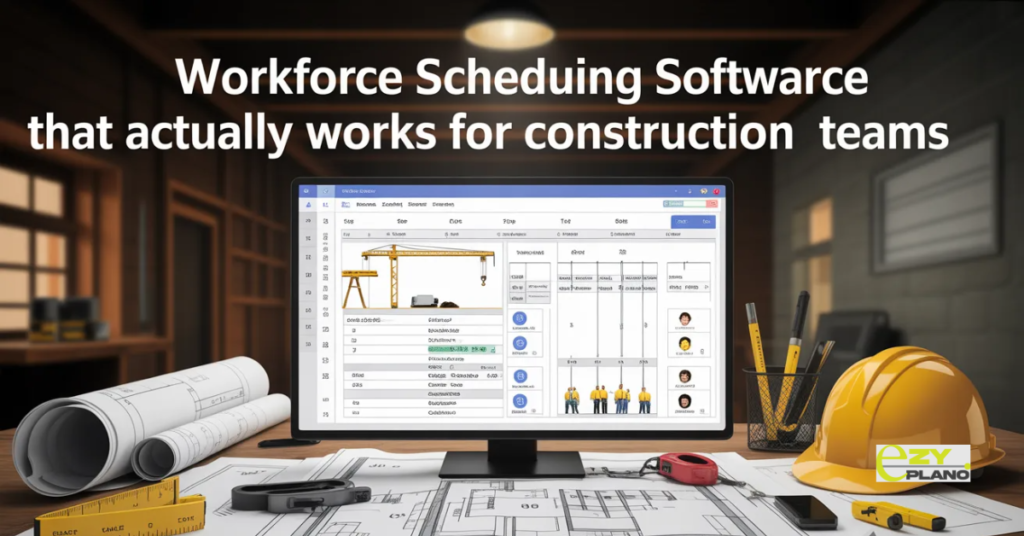
- EZY PLANO brings workforce scheduling into an integrated construction project management environment. The connection between the project programme and the workforce schedule means changes in one automatically surface their implications for the other. Multi-site visibility across all active projects in a single view. Subcontractor scheduling alongside direct workforce management. Mobile access designed for site conditions. For construction businesses that want workforce scheduling connected to how they manage projects rather than running as a separate administrative function EzyPlano serves the specific construction scheduling context rather than adapting from a generic workforce management tool.
Getting the Transition Right

- Switching workforce scheduling systems mid-project causes more disruption than the improvement usually justifies. The sensible approach is to start using new software for new projects and new workforce allocations while existing commitments run through the current process.
- This gives the operations team time to get comfortable with the new system while the stakes are lower. By the time the full workforce portfolio is running through it the team has built enough familiarity that the system is helping rather than creating confusion.
- The other thing worth being deliberate about before switching is what data needs to come across. Worker certifications and their expiry dates. Subcontractor contact details and their qualification records. Existing programme commitments that the scheduling system needs to know about. Getting this foundation data right before switching saves a lot of manual reconstruction work after.
Questions Worth Asking
How do we handle the situation where subcontractors will not engage with a new scheduling system?
- Make the subcontractor experience as simple as possible. Viewing their confirmed schedule and acknowledging changes should take under two minutes from a phone. Subcontractors who find it easier to use the system than to call the office will use it. Those who find it more difficult will call the office and the coordination benefit disappears.
How do we manage certification expiry across a large workforce without it becoming a full time administrative job?
- The system should flag expiring certifications automatically rather than requiring someone to check manually. Alerts that go to the relevant manager when a certification is within 60 or 30 days of expiry give enough lead time to arrange renewal without the worker becoming unavailable for certified tasks.
How do we connect workforce scheduling to our project programme without maintaining two separate systems?
- Look for scheduling tools where the programme integration is built in rather than bolted on. The connection that automatically surfaces workforce implications when the programme changes is more reliable than a manual process of checking the programme and then updating the schedule. When those two things live in the same system the connection happens without anyone having to remember to do it.