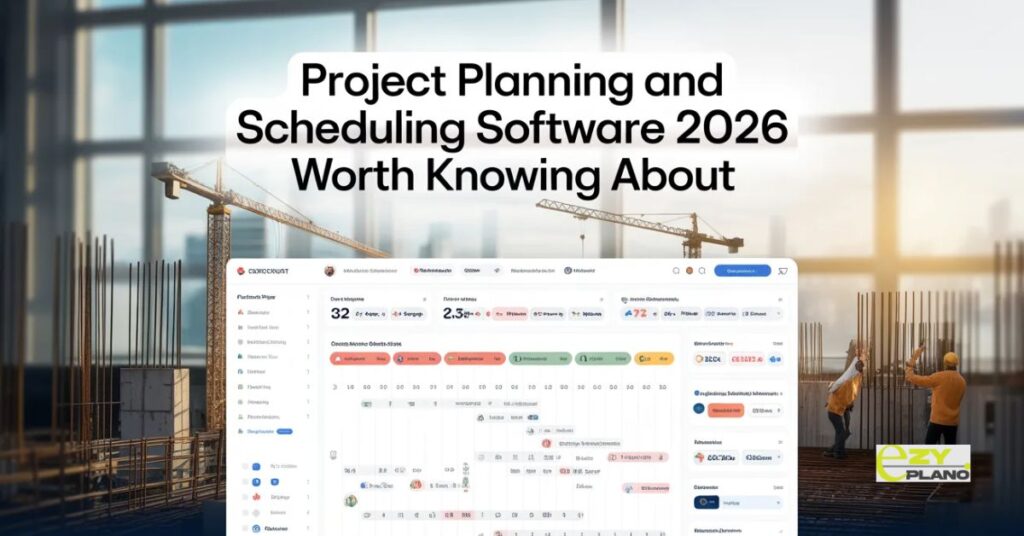
Project Planning and Scheduling Software 2026 Worth Knowing About
- Project planning and scheduling technology has developed meaningfully over the past few years. The platforms available in 2026 are genuinely more capable than what existed previously. Better integration between planning and the broader project management ecosystem. AI features that are beginning to move from marketing language to practical daily value. Mobile experiences that work for teams that are not always at a desk.
- That progress makes the decision more complex rather than less. More capable options across more of the market means more platforms worth evaluating seriously and fewer that can be dismissed without consideration. Finding the right fit among project planning and scheduling software 2026 options requires a clearer sense of what a specific team actually needs than it did when the choices were more limited.
What Has Changed in Planning and Scheduling Technology
- The most significant development in recent years is how AI has moved from a feature label to something that actually changes what planning software does in practice.
- Earlier AI features in planning tools were largely predictive analytics applied to historical data. Useful for businesses with enough project history to make the predictions meaningful. Less useful for businesses earlier in their data accumulation journey.
- Current AI in planning and scheduling tools goes further. Natural language interfaces that allow plans to be created and modified through conversation rather than through form filling. Automatic detection of schedule conflicts and resource overallocation before they cause problems rather than after. Pattern recognition across project portfolios that identifies which types of work consistently run over time and why.
- These capabilities are at different stages of maturity across different platforms. The most useful question when evaluating any AI planning feature is whether it changes the output in a way that is specific and actionable rather than whether AI is present in the platform at all.
- Integration depth has also improved significantly. Project planning and scheduling software 2026 that connects to financial systems, resource management tools and communication platforms creates a connected project environment rather than isolated planning data that needs to be manually reconciled with everything else.
The Platforms Shaping the Market
- Understanding where established platforms sit helps clarify what each one is and is not suited for rather than treating every platform as competing for the same customer.
- Microsoft Project remains widely used particularly in organizations already embedded in the Microsoft ecosystem. Scheduling depth for complex dependency mapping is genuine. The integration with other Microsoft tools is valuable when those tools are already in use. The learning curve and the desktop first design limit adoption in teams that need mobile access and faster onboarding.
- Smartsheet occupies a space between traditional project management and flexible work management. The spreadsheet familiar interface reduces adoption friction. The automation capability goes beyond basic task management. The scheduling depth for complex construction or engineering programmed is less developed than purpose built scheduling tools.
- Monday.com continues to grow through flexibility and visual design. Highly configurable for teams that invest in setup. The visual interface works well for teams that think in boards and timelines. The scheduling rigor for programmed with strict dependency requirements is less developed than tools built specifically around that capability.
- Asana handles team coordination and task management well. The timeline view and dependency management have improved. For teams whose planning challenge is primarily about who is doing what and when rather than about complex schedule optimization it covers the core requirements without unnecessary complexity.
- Oracle Primavera remains the reference point for complex programmed management. Multi year programmed with thousands of activities and significant resource management requirements. The investment in learning and implementation positions it for organizations with dedicated planning functions rather than teams that need planning capability without a dedicated planner.
- EZY PLANO sits in the space where most growing teams actually operate. Past the point where basic task management is adequate. Not yet at the scale where enterprise complexity and dedicated planning resources make sense. Planning and scheduling capability that the whole team can use without specialist training. AI features that add practical value rather than requiring significant data accumulation before they are useful. Mobile access built for teams that work away from desks as much as at them.
What 2026 Buyers Should Priorities
- The criteria that matter most when evaluating project planning and scheduling software 2026 options reflect how project work actually happens rather than what looks impressive in a controlled demonstration.
- Ease of keeping the plan current matters more than sophistication of the initial plan. A planning tool that is easy to update as things change will be used. One that makes replanning feel like rebuilding from scratch will be worked around. The test is not how the tool handles a stable plan but how it handles the reality that plans change constantly.
- Mobile experience for teams that work away from desks. The proportion of project team members who need to access and update the plan from a phone or tablet is higher than most platform evaluations account for. A planning tool that works properly on mobile for quick updates is used by the whole team. One that requires a desktop for meaningful interaction is used by the project manager and worked around by everyone else.
- AI features that are specific rather than general. The AI capabilities worth paying for in 2026 are the ones that produce specific actionable outputs. A conflict flag that identifies exactly which tasks are affected by a resource overallocation. A risk highlight that explains what historical pattern is driving the concern. General AI that produces vague suggestions without specific guidance adds noise rather than value.
- Integration with the systems the team already uses. A planning tool that connects to where communication happens, where files live and where financial data sits creates a connected project environment. One that sits in isolation requires manual reconciliation with everything else which creates overhead that undermines the time saving the planning tool was supposed to deliver.
- Scalability as the team and project portfolio grows. A tool that works well for a team of five managing two projects should still work for a team of twenty managing fifteen projects. The pricing and capability scaling matters as much as current fit.
The AI Features Worth Looking For
- AI in project planning and scheduling software 2026 varies enough that it is worth being specific about which features add genuine value and which are present primarily as marketing.
- Conflict and overallocation detection that is automatic rather than requiring the planner to check manually. AI that surfaces these issues as they are introduced rather than requiring a separate review step adds real value to how plans get maintained.
- Risk identification based on plan characteristics. Not generic risk warnings but specific flags tied to the characteristics of the current plan. A task with no buffer before a hard deadline. A dependency chain that leaves no slack if one element slips. A resource commitment that exceeds available capacity in a specific period. These are specific and actionable rather than general.
- Progress prediction based on current trajectory. Understanding where a project is heading based on how it has been progressing rather than just where it was planned to be. This requires project history but even modest history produces more useful predictions than no prediction at all.
- Natural language plan interaction. The ability to describe a change in plain language and have the plan updated accordingly. Still developing in most platforms but genuinely useful where it works properly rather than requiring precise command syntax.
The Integration Picture
- Project planning and scheduling software 2026 that sits in isolation from the rest of how a team works creates overhead that undermines the value of having a plan at all.
- When the project plan does not connect to where conversations happen the plan and the conversation diverge. Decisions get made in chat that are not reflected in the plan. The plan stops being the source of truth and becomes one of several places where different versions of project reality live.
- When the plan does not connect to financial systems, budget tracking requires manual reconciliation between where costs are recorded and where the plan lives. The two pictures drift apart and the project manager assembles the combined view manually at significant cost in time and accuracy.
- Integration is not a nice feature. It is what determines whether the planning tool becomes how the team actually works or an additional system that runs alongside how the team actually works.
Getting the Decision Right

- Project planning and scheduling software 2026 decisions made on feature lists and demonstrations produce worse outcomes than those made on real project trials and honest assessment of how the team actually works.
- The trial matters more than any other part of the evaluation. Run a real active project through the platform under normal working conditions. See how the team naturally interacts with it. Watch where friction appears. Identify where updates happen easily and where they get skipped because the process is too cumbersome.
- That experience tells you more about whether the platform will actually be used consistently than any amount of time spent in a vendor demonstration where everything is prepared to look as good as possible.
- EZY PLANO is a platform built for teams that want planning and scheduling to work as a genuine shared tool rather than something the project manager maintains in isolation. Designed for how projects actually progress rather than how they look in a kickoff presentation. Built for 2026 teams that need AI assistance, mobile access and integration without enterprise complexity.
Questions Worth Asking
How do we evaluate AI planning features without being misled by demonstrations?
- Ask what the AI specifically produces and what data it uses. Turn the AI features off and compare the output with and without them. Genuine AI features produce meaningfully different and better outputs. Marketing labels on existing features do not.
What is the realistic mobile experience for our specific team?
- Test it with the team members who work away from desks most frequently. Their experience of using it in real working conditions is the most reliable indicator of whether mobile adoption will actually happen across the team.
How do we handle the transition from our current planning approach without losing active project history?
- Most platforms support import from common formats. Start new projects on the new platform while completing active ones through the current approach. Building familiarity on new projects before the new system is carrying the full portfolio reduces transition risk significantly.