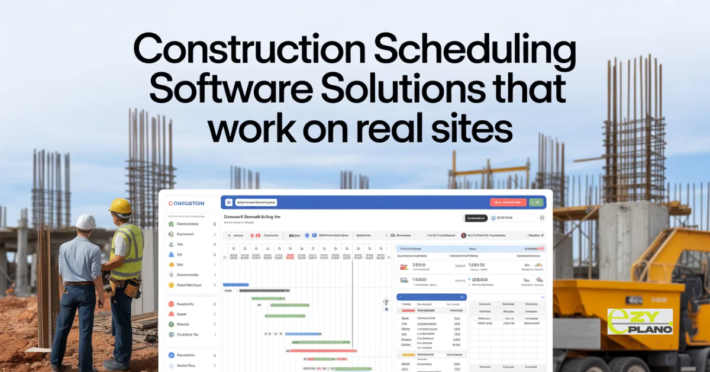
Top 10 Construction Scheduling Software

Picking scheduling software shouldn’t mean comparing endless feature lists. The real question is what actually works for construction field operations. Top 10 construction scheduling software options worth looking at solve real coordination problems contractors face daily, and choosing the right one depends more on your specific needs than which has most features.
Most “top 10” lists just rank by popularity or price. What matters is matching software to how you actually work.
What Makes Good Construction Scheduling
- Mobile access for field workers. Crews checking schedules on phones not desktops. Office-only software fails for construction.
- Offline capability for remote sites. Spotty internet common on job sites. Software working without constant connection is essential.
- Simple interfaces field workers actually use. Complicated systems get ignored. Clean straightforward design matters more than features.
- Construction-specific features. Trade dependencies, weather awareness, inspection tracking. Purpose-built beats adapted generic tools.
- Reasonable pricing for operation size. Enterprise features small contractors never use. Affordable options matching actual needs.
The Ten Options Standing Out

EzyPlano focuses on practical construction scheduling. Mobile-first design, works offline, built for field realities. Good for growing contractors wanting professional tools without complexity.

Procore offers comprehensive construction management. Scheduling integrated with a broader platform. Best for larger operations needing a full suite.
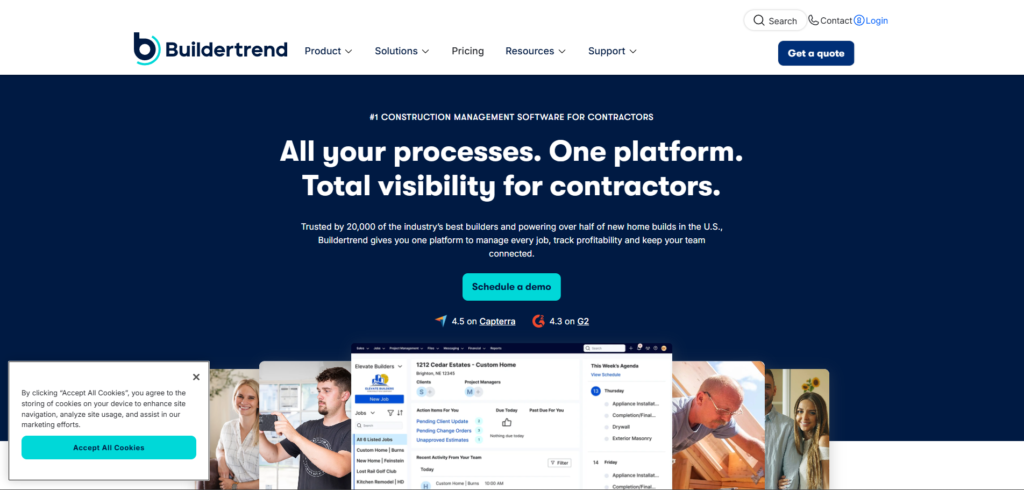
Builder trend targets residential construction. Home builder workflows, client communication, project tracking. Strong for residential contractors.

CoConstruct serves custom builders and remodelers. Client collaboration, selection management, schedule coordination. Remodeling focus is helpful.

Fieldwire emphasizes field communication. Task management, plan viewing, team coordination. Strong mobile capabilities for field crews.

PlanGrid provides plan management with scheduling. Blueprint viewing, markup tools, task tracking. Document-centric approach.

Smartsheet offers flexible project management. Customizable for construction, familiar spreadsheet interface. Adaptable but requires configuration.

Microsoft Project delivers traditional scheduling. Powerful features, steep learning curve. Overkill for many contractors but capable.

Monday.com brings visual workflow management. Color-coded boards, team collaboration. Less construction-specific but flexible.

Asana provides general project tracking. Task lists, team coordination, progress tracking. Works but not built for construction specifically.
Each has strengths. Pick based on your specific situation, not feature count.
Choosing Based on Operation Type
- Small residential contractors need simplicity. Easy to use, mobile access, reasonable cost. EzyPlano, Buildertrend, CoConstruct fit well.
- Commercial builders require depth. Complex projects, multiple trades, detailed tracking. Procore, Microsoft Project handles complexity.
- Specialty contractors want focused tools. Route optimization, service call scheduling, client communication. Fieldwire, Smartsheet adapt well.
- Remodelers need flexibility. Unpredictable timelines, client involvement, change management. CoConstruct, Buildertrend accommodate uncertainty.
- General contractors coordinating subs. Master schedule visibility, subcontractor communication, progress tracking. Procore, Fieldwide work well.
Key Features That Matter
- Real-time updates everyone sees. Change the schedule, the team knows immediately. No lag between update and notification.
- Dependency tracking prevents conflicts. Software knows Task B needs Task A done first. Logical sequencing enforced.
- Resource allocation showing availability. See who’s scheduled where. Prevent double-booking people and equipment.
- Photo documentation from the field. Take pictures at sites. Visual records for progress and issues.
- Client communication integration. Updates flowing to customers. Professional communication without extra work.
- Weather integration for outdoor work. See forecasts for job locations. Plan around rain without separate checks.
Common Selection Mistakes
- Choosing the most expensive assuming the best. Price doesn’t equal fit. Expensive software wasted if wrong for your operation.
- Picking based solely on features list. More features don’t mean a better match. Need capabilities you’ll actually use.
- Ignoring mobile requirements. Assuming desktop access is fine. Construction happens in the field, not offices.
- Skipping trial periods thoroughly. Committing without testing with real work. Always trial with actual projects first.
- Following recommendations without context. What works for others might not fit you. Your operation determines the right choice.
- Buying for the future hoping to grow into it. Over-provisioning for theoretical needs. Buy for current reality not distant future.
Testing Before Committing
- Use trial with real active projects. Not demo data but actual work. See if it handles your reality.
- Involve people who’ll use it daily. Foremen and field workers testing. Their adoption determines success, not your opinion.
- Test mobile experience thoroughly. Most use will be on phones. Desktop trial missing critical user experience.
- Check offline functionality. Go to an actual job site with poor connection. See what works without the internet.
- Verify integration with current tools. How well does it connect to what you use now? Integration difficulty affecting adoption.
- Confirm support responsiveness. Ask questions during trial. Support quality matters when you’re stuck.
Implementation Considerations
- Training time required. The learning curve affects productivity initially. Factor in ramp-up period.
- Data migration from the current system. Getting existing schedules into new software. Migration difficulty varies widely.
- Team resistance to change. Comfortable with current methods even if inadequate. Change management necessary.
- Ongoing costs beyond subscription. Training, support, customization. Total cost of ownership matters.
- Vendor stability and support. Company backing software. Concerned about longevity and continued development.
What Really Determines Success
- Software fitting how you work. Adapting to your processes does not force you to change everything. Natural fit beats powerful misfit.
- Actual field adoption by crews. Software crew chiefs actually use it daily. Unused tools waste money regardless of capabilities.
- Reasonable learning curve. Getting productive quickly. Months of learning means months of reduced productivity.
- Responsive support when stuck. Getting help fast when needed. Terrible support kills even good software.
- Continuous improvement from vendors. Regular updates, new capabilities, responding to feedback. Stagnant software falls behind.
Making Final Decision
- Create a short list based on needs. Three to five options matching requirements. Don’t evaluate everything available.
- Trial all finalists thoroughly. Use each with real work. Direct comparison showing differences clearly.
- Get team input on preferences. People using it daily have valuable perspectives. Their buy-in is essential for adoption.
- Consider the total cost honestly. Subscription plus implementation plus training plus support. Full picture not just base price.
- Trust your operational knowledge. You know your business best. Software should serve your needs, not theoretical best practices.
- Top 10 construction scheduling software lists provide starting points not final answers. Good software matches your specific operation. Bad software has impressive features you’ll never use.
- Better scheduling comes from appropriate tools used well. The right software for your situation beats the best software for someone else’s.
Questions About Selecting Software

How do we know which is right for our size?
- Test with your actual project volume and team size. Software comfortable for your operation reveals itself through trial. Too complex or too simple becomes obvious quickly.
Should we pick what competitors use?
- Their needs might differ from yours. Learn from their experience but decide based on your operation. What works for them might not fit you.
Can we switch later if we make the wrong choice?
- Switching is painful but possible. Data migration, retraining, workflow disruption are all costly. Choose carefully initially but don’t stay stuck with a terrible fit forever.