
Free 3D Modeling Software Worth Using in Construction
- Three dimensional modeling has moved from a capability that only large firms with significant software budgets could access to something available to construction businesses of every size. The free options available in 2026 are genuinely capable in ways that free software was not a decade ago. For businesses exploring 3D modeling for the first time or looking to reduce software costs the free tier options deserve serious consideration before committing to paid platforms.
- Free 3D modeling software serves different purposes in a construction context. Architectural visualization. Structural design. Site planning. BIM workflows. Understanding which capability a specific business needs is what determines which free option is worth the time it takes to learn.
What Free Actually Means in 3D Modeling
- Free in the 3D modeling software market follows the same patterns as free software in other categories. Genuinely free tools with defined capability limits. Freemium platforms where the free tier provides meaningful access but restricts features that become important as usage grows. Free for personal or non commercial use with commercial licences required for professional work. Open source software that is free to download but requires technical capability to configure properly.
- Understanding which category a specific platform falls into before investing significant time learning prevents discovering that the work done on a free platform cannot be used commercially or that the features needed for professional output are locked behind a paid tier.
- Free 3D modeling software that is genuinely useful for construction professionals tends to come from a few specific categories. Open source tools with strong community development. Free tiers of established commercial platforms. Browser based tools that offer meaningful capability without download or licence requirements.
SketchUp Free
- SketchUp has been one of the most widely adopted 3D modeling tools in construction and architecture for good reason. The interface is genuinely intuitive compared to most 3D software. The learning curve that discourages adoption of other platforms is significantly less steep with SketchUp. Construction professionals who are not dedicated modelers can become productive in SketchUp in a way that tools like Revit or ArchiCAD do not readily allow.
- The free tier operates in the browser rather than as a desktop application. For basic 3D modeling, design visualization and site planning the browser based free tier covers a significant amount of what construction professionals at the earlier stages of 3D adoption need.
- The limitations of the free tier become apparent as requirements grow. No offline access. Limited export formats. No access to the full SketchUp extension library that expands what the platform can do significantly. For professional construction use these limitations eventually push toward the paid tiers.
- Best suited for construction businesses starting their 3D modeling journey. Design visualization. Client presentations. Basic site planning. The free tier provides genuine value in these areas while the learning investment in SketchUp translates to the paid tiers if the business grows into needing them.
Blender
- Blender is open source and genuinely free without commercial restrictions. The capability it offers at zero cost is remarkable by any standard. Architectural visualization that produces photorealistic renders. Complex 3D modeling. Animation. The technical ceiling of what Blender can produce is very high.
- The honest trade off is the learning curve. Blender was not designed specifically for construction and architecture. It was designed for a broad creative audience including game developers, animators and visual effects artists. The workflows that construction professionals need are achievable but they require more investment in learning than SketchUp or purpose built construction modeling tools.
- For construction businesses with team members who have the time and interest to invest in learning Blender properly the capability it delivers for free is genuinely impressive. High quality visualization that would require significant investment in commercial rendering software.
- Best suited for construction businesses that want high quality visualization capability and have the team capacity to invest in the learning curve that Blender requires.
FreeCAD
- FreeCAD is open source parametric 3D modeling software. The parametric approach means models are built from defined parameters that can be changed and the model updates accordingly. This is how professional engineering and architectural CAD software tends to work and FreeCAD brings that approach to a free platform.
- The construction and architecture specific capability in FreeCAD is less developed than in commercial platforms. The architectural workbench that provides construction specific tools is functional but does not match the depth of purpose built architectural software. For engineering and structural applications FreeCAD is more directly applicable.
- The community around FreeCAD is active and the platform continues to develop. Extensions and additional workbenches extend what it can do. For businesses with the technical appetite to engage with an open source platform and contribute to its development the community resources available make the learning process more accessible than the software alone would suggest.
- Best suited for construction businesses with engineering and structural modeling requirements where the parametric approach adds genuine value and the team has the technical capability to engage with an open source platform.
Tinkercad
- Tinkercad sits at the accessible end of the 3D modeling spectrum. Browser based. No installation required. An interface that prioritises simplicity over capability. For basic 3D shapes and simple design concepts the tool is genuinely easy to use.
- In a construction professional context Tinkercad is limited. It was designed primarily for education and simple product design rather than for the complexity of architectural or structural work. The shapes and objects it produces reflect that simpler design origin.
- Where Tinkercad has value in a construction context is in early stage design exploration and in communicating simple spatial concepts to clients who need to understand a basic layout without the complexity of professional modeling software. The accessibility that makes it unsuitable for professional deliverables makes it genuinely usable for simple concept communication.
- Best suited for early stage design exploration and simple client communication rather than for professional construction modeling work.
OpenSCAD
- OpenSCAD takes a different approach from every other platform in this list. Models are created by writing code rather than through a visual interface. Shapes are defined programmatically. The model is the code that describes it.
- For construction professionals without a programming background this approach creates a significant adoption barrier. The visual interface that makes SketchUp accessible does not exist in OpenSCAD. Learning the platform means learning a modeling language.
- Where OpenSCAD is genuinely powerful is in parametric design that needs to be precisely controlled and easily modified. Construction components that need to be designed in multiple configurations. Structural elements where the geometry is defined by engineering parameters rather than aesthetic choices. For these specific use cases the programmatic approach is a strength rather than a limitation.
- Best suited for technically minded construction and engineering professionals comfortable with a code based approach to modeling where parametric precision matters more than visual design intuition.
How 3D Modeling Connects to Construction Planning
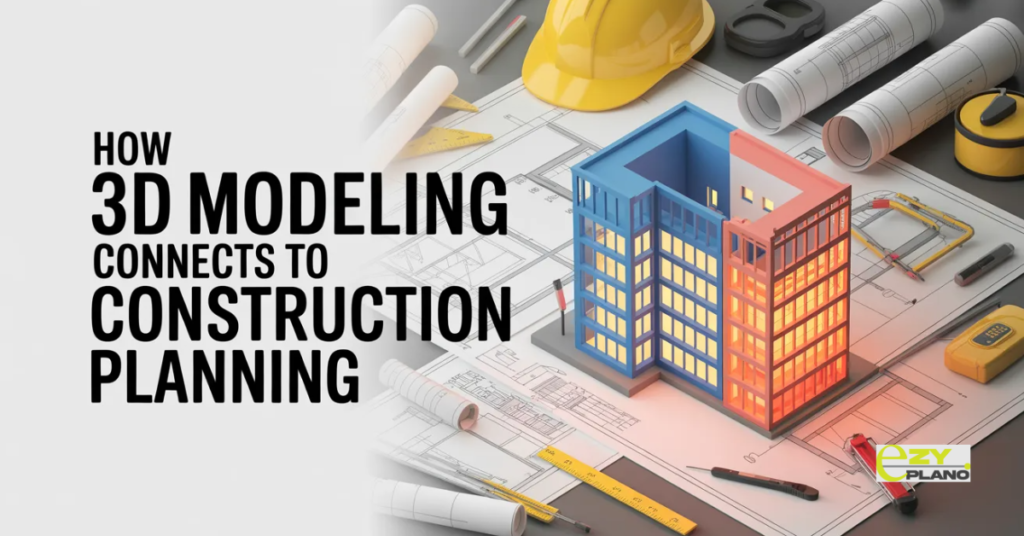
- The connection between 3D modeling and construction planning is one that is becoming more direct as the tools that support both functions develop.
- A 3D model that exists only as a visualization asset contributes to design communication but does not directly inform how a project gets planned and scheduled. A 3D model that is connected to the construction programme through 4D planning shows how the project will be built over time rather than just what it will look like when complete.
- That connection between the model and the programme requires the planning tools to work alongside the modeling tools rather than in isolation from them. Construction planning software that can receive information from 3D models and reflect it in the programme creates a more connected project information environment than one where the two functions operate separately.
- EZY PLANO is a platform built for construction businesses that want their planning to work alongside the other tools in the project information environment. As 3D modeling becomes more common in construction operations the connection between what gets modeled and how it gets planned becomes more important rather than less.
Questions Worth Asking
How do we choose between free 3D modeling options without wasting time learning the wrong one?
- Start by being specific about what the modeling is for. Visualization for client presentations. Structural analysis. Site planning. BIM workflows. Each use case points toward different platform strengths. Testing the platform on a real small scale version of the actual use case tells you more than any feature comparison.
Can free 3D modeling software produce professional quality output for client presentations?
- Yes for several of the platforms listed. SketchUp free and Blender in particular can produce presentation quality visualization. The limitation is less about output quality and more about the workflow required to achieve it and the commercial use restrictions that apply to some free tiers.
How do we connect 3D modeling to our construction planning process?
- Start with the data that flows between the two functions. Drawing revisions that affect the programme. Spatial conflicts that affect the construction sequence. As the connection between modeling and planning becomes more important, investing in planning software that is designed to work alongside the modeling environment rather than independently of it produces better outcomes than treating the two functions as completely separate.
