Construction Planning and Scheduling Software For Real Job Sites
Planning construction projects on paper calendars and hoping crews remember is asking for trouble. Tasks overlap, materials arrive wrong times, inspections get missed. Construction planning and scheduling software changed how builders coordinate work, and contractors using it say manual planning feels like guessing blindfolded now.
Lots of builders still track old school projects. Whiteboard schedules, phone calls to crew chiefs, hoping everyone knows what’s happening. Works maybe when you’re building one simple shed. Actual projects with moving parts? Total mess.
What Planning and Scheduling Actually Solves
- Traditional approach means project manager keeps track mentally. Who works where tomorrow, what materials need ordering, when inspections happen. All juggled in their head or scribbled notes.
- Construction planning and scheduling software coordinates everything systematically. Job sequences, crew assignments, material deliveries, equipment needs, inspection scheduling, tracked centrally and visible to everyone.
- Stops relying on one person’s memory and scattered communications for project coordination.
Why Contractors Need Both
- Planning shows the big picture. Overall timeline, major milestones, resource requirements. The roadmap for getting the project done.
- Scheduling handles daily execution. Who goes where today, what tasks happen this week, which equipment gets used when. Tactical decisions making plans happen.
- I need both working together. A great plan with terrible scheduling still fails. Detailed schedule without solid plan wastes effort.
- Software integrating planning and scheduling prevents disconnects between strategy and execution.
Where This Makes Difference
- Multi-project operations stay organized. Running four jobs across town? See all crews, all equipment, all timelines together instead of a mental juggling act.
- Trade coordination becomes manageable. Electricians know when plumbers finish so rough-in happens in the right sequence. No trades stepping on each other or waiting around.
- Client updates get easier. Show real progress against the plan without digging through notes. Clients see where things stand clearly.
- Material management improves. Order supplies timed with actual work not showing up weeks early sitting in weather.
- Equipment utilization increases. Know what machinery’s where and when it’s free. Return rentals promptly instead of paying for idle equipment.
- Change management works smoothly. Client wants modifications? See how changes affect the timeline and adjust schedule accordingly.
Core Capabilities That Matter
- Dependency tracking is the foundation. Software knows framing can’t start before foundation cures. Enforces logical sequences automatically.
- Resource assignment and conflicts. Assign crews to tasks, catch double-booking before it happens. See who’s available when.
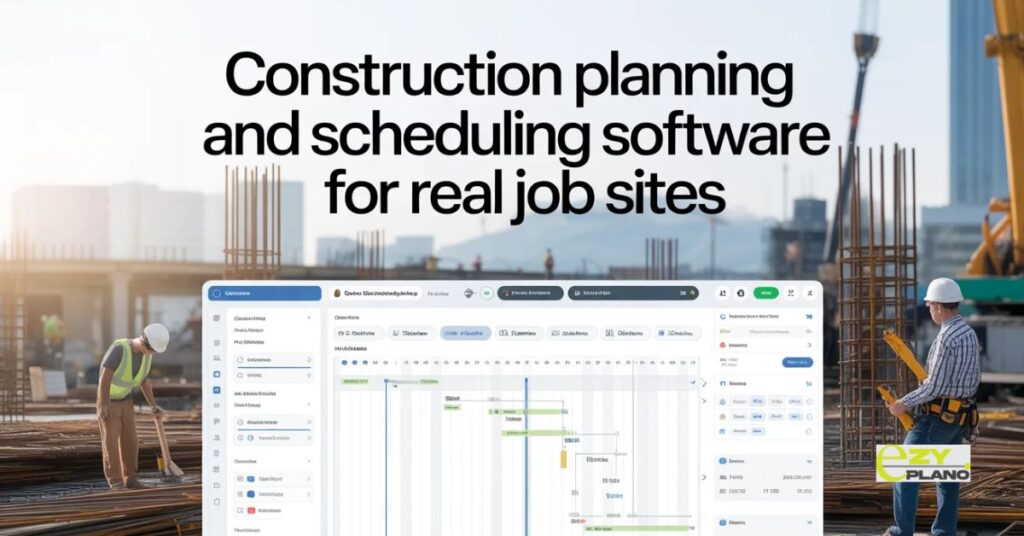
- Timeline visualization everyone understands. Gantt charts, calendars, whatever makes sense for your team. Visual representation beats text lists.
- Mobile access from job sites. Foremen check schedules from trucks, update progress from the field. Desktop-only means nobody uses it.
- Weather awareness helps outdoor work. See forecasts for job locations, plan around rain without checking separately.
- Material tracking prevents shortages. Know what’s ordered, what’s delivered, what’s still needed. Coordinate purchases with actual schedule.
Practical Features For Builders
- Crew scheduling across multiple sites. See which teams are where, reassign people quickly when plans change.
- Equipment calendar showing availability. Track excavators, lifts, trucks across jobs. Prevent double-booking expensive machinery.
- Inspection and permit tracking. Remember filing deadlines, book inspections appropriately timed. Nothing stops work waiting for forgotten paperwork.
- Subcontractor coordination. Share relevant schedule portions with subs. They see when their work starts without accessing everything.
- Progress tracking against baseline. Compare actual progress to the original plan. Spot delays early before they compound.
- Document access from the field. Plans, specs, permits available on phones and tablets. No running back to the office for paperwork.
Different Builders Using This
- Residential contractors managing spec homes. Multiple houses at different stages, crews rotating between sites, material deliveries per location.
- Commercial builders on complex projects. Many trades, strict timelines, penalty clauses for delays. Coordination prevents expensive mistakes.
- Remodel contractors handling surprises. Demo reveals unexpected conditions, schedules adjust without redoing the entire plan manually.
- Specialty trades coordinating their piece. Concrete crews, framers, finish carpenters, know which jobs when without conflicts.
- General contractors managing subcontractors. Master schedule showing everyone’s timing, dependencies clear, sequence enforced.
Making Software Actually Work
- Start with active projects, not backlog. Don’t load five years of history. Begin with current work, learn the system there.
- Get crew chiefs involved early. They’re using it daily on sites. If they hate it, adoption fails regardless of features.
- Keep schedules updated or they become useless. Stale information is worse than no system. Progress updates must happen regularly.
- Mobile really matters in construction. People aren’t at desks. Phone and tablet access determines whether software gets used or ignored.
- Simple beats are perfect. Basic scheduling done consistently outperforms elaborate plans nobody maintains.
- Train properly before expecting adoption. An hour-long tutorial doesn’t cut it. Invest real time teaching the system.
Common Implementation Problems
- Trying to plan everything perfectly upfront. Construction never goes exactly to plan. Build flexibility instead of rigid perfection.
- Making schedules too detailed too soon. High-level planning first, add detail as work approaches. Too much detail early just creates a maintenance burden.
- Forgetting field reality. Software suggesting sequences that don’t work on actual sites. Ground truth beats theoretical optimization.
- Ignoring crew input on durations. Foremen know how long tasks really take. Use their knowledge not software defaults.
- Treating it like a project management tool only. Scheduling needs happening at crew level daily. Not just PM reviewing weekly.
- Buying features for huge contractors when you’re small. Enterprise capabilities you’ll never use just complicate things.
EZY PLANO Construction Focus
- Platforms like EzyPlano build planning and scheduling specifically for construction reality. Not generic project management adapted for building. Actual construction workflows and needs.
- What makes EzyPlano practical? Understands trade dependencies, weather impacts, inspection requirements, material lead times. Built for how construction actually happens, not idealized processes.
- For contractors wanting real planning and scheduling without enterprise complexity, tools like this work. Construction-specific capabilities without massive learning curves.
- Construction planning and scheduling software succeeds when it helps coordinate actual work, not just document plans. Good software makes daily coordination easier. Bad software becomes another administrative headache.
- Better coordination means projects finish on time, crews stay productive, clients get updates easily. Software should help build projects, not just track them.
Real Questions Contractors Ask
How do we keep schedules current when everything changes daily?
- Make updates stupid simple or they won’t happen. Quick mobile updates from field beat elaborate desktop entries nobody has time for. Also focus on updating what matters, major tasks completion, significant delays. Don’t require logging every nail driven. Some software syncs with timecards automatically reducing manual updates. Accept that schedules are always slightly behind reality, the question is whether they’re useful despite lag. If updating takes five minutes daily, people do it. Fifteen minutes? They skip it. Design workflow matching actual field rhythm not office expectations.
Will this work if our crews barely use smartphones?
- Depends on their role honestly. If they just need to know where to be tomorrow, text messages or printed dailies work. Don’t need everyone in the app. Project manager and foremen use full software, crews get simplified outputs. Some systems send automated text updates, no app required. Also generational, younger crews comfortable with phones, older crews prefer paper. Meet people where they are. Software helping coordination even if not everyone logs in directly still delivers value through better communication.
What about when the internet sucks on remote job sites?
- Major issue for construction software. Look for offline capability specifically. Can people view schedules without the internet? Update progress offline that syncs later? Cloud-only systems requiring constant connection fail on remote sites. Hybrid approaches where data downloads for offline access then syncs when connection returns handle construction reality better. Test this during trials, go to the actual job site with spotty connection and see what happens. Marketing says “mobile friendly” but that’s useless if it dies without the internet