Construction Scheduling Software That Handles Real Job Sites

Managing construction projects with whiteboards and spreadsheets is chaos. Crews show up to wrong sites, materials arrive at bad times, delays wreck everything downstream. Construction scheduling software changed how projects get managed, and contractors using it can’t believe they survived the old mess.
Plenty of construction companies still plan with paper calendars and phone calls. Someone updates a board, tells the crew chief, hopes everyone gets the message. Works maybe when you’re running one small job. Multiple sites? Everything falls apart.
What This Software Does
Traditional scheduling means writing tasks on calendars and hoping people check them. Project manager tracks who goes where, what equipment moves when, when inspections happen. All in their head or scattered notes.
Construction scheduling software coordinates everything in one spot. Job timelines, crew assignments, equipment tracking, material deliveries, inspection dates, all connected. Change one thing, see what else shifts automatically.
Stops you from managing five clipboards trying to remember what’s happening where.
Why Construction Teams Need This
- Job timelines actually make sense. Software knows framing can’t start before foundation cures. Calculates realistic schedules based on actual dependencies instead of hopeful guessing.
- Crew assignments don’t overlap. Three jobs needing the same plumber the same day? Software catches that before you double-book people. Nobody shows up to find someone else already there.
- Equipment gets tracked properly. Where’s the excavator today? Who needs it tomorrow? Software knows instead of calling around asking everyone.
- Material deliveries sync with work. Drywall arrives when you’re ready to hang it, not two weeks early sitting in rain. Timing coordinated with actual progress.
- Weather delays don’t destroy schedules. Rain pushes back outdoor work? Software adjusts everything affected and shows a new timeline. No manual recalculating.
- Inspector availability gets factored in. Book inspections when work’s ready and inspectors are free. Stop finishing work then waiting three days for inspection.
Where This Helps Most
- Multi-site operations stay organized. Running five jobs across town? See all of them at once. Know which crews are where, what’s behind schedule, where problems are brewing.
- Subcontractor coordination gets simpler. Electricians know when plumbers finish so they can start. HVAC scheduled after framing’s done. Everyone works in right sequence.
- Client communication improves. Show homeowners or property managers real timelines. They see progress without calling every day asking where things stand.
- Budget tracking happens in real time. Labor costs, material expenses, equipment rental – see spending as it happens. Catch overruns before they tank profits.
- Permit and compliance tracking doesn’t slip. Required permits, safety inspections, code compliance, software tracks deadlines so nothing gets missed and stops work.
What Good Software Needs
- Easy crew scheduling. Assign people to jobs, see who’s available when, handle last-minute changes quickly. Complicated tools slow everything down.
- Equipment management that works. Track what machinery’s where, when it’s free, maintenance schedules. Construction runs on equipment being at the right place right time.
- Weather integration helps tons. Seeing forecasts for job sites lets you plan around rain or extreme temperatures. Outdoor work needs weather consideration.
- Mobile access is mandatory. Nobody’s at desks. Foremen check schedules from trucks, crews update progress from sites. Desktop-only doesn’t cut it.
- Connects with other tools. Accounting software, project management systems, customer databases. When things talk to each other, less duplicate data entry.
- Blueprint and document access. Plans, permits, specs, available right in the schedule. People find what they need without digging through file cabinets.
Different Construction Types Using This
- Residential builders manage multiple home builds. Which houses are what stage, what crews go where, material deliveries for each address. Software keeps it straight.
- Commercial contractors coordinate big projects. Multiple trades, strict timelines, penalty clauses for delays. Scheduling prevents expensive mistakes.
- Renovation work handles unpredictable timelines. Demo reveals surprises, scope changes mid-project. Software adjusts plans without starting over.
- Infrastructure projects track long complex schedules. Road work, utility installation, public projects with regulatory requirements. Everything is documented and coordinated.
- Specialty contractors manage their piece. Roofing crews, concrete teams, landscapers – know which jobs when without conflicts.
Real Problems It Solves
- Double-booking disappears. No sending crews to jobs where they’re not needed or missing jobs that need doing.
- Material waste drops. Ordering what you need when you need it instead of guessing and over-ordering or running short mid-job.
- Downtime decreases. Crews aren’t sitting around waiting because previous work isn’t finished or materials haven’t arrived.
- Change orders get managed better. Client wants modifications? See how that affects timeline and cost immediately instead of guessing.
- Communication improves across teams. Everyone sees the current plan, not yesterday’s version or whatever they heard third-hand.
Making It Work
- Start with one project type. Residential builds or commercial jobs or whatever you do most. Learn the system there before expanding.
- Get foremen involved early. They’re using it daily and know what helps versus creates hassles. If they hate it, crews won’t use it.
- Keep the first attempt simple. Basic scheduling and crew assignment. Don’t configure every advanced feature immediately. Master fundamentals first.
- Use it consistently from day one. Half in software, half on whiteboards defeats the purpose. Commit fully or you just added another system to check.
- Update it regularly. Schedule only works if it’s current. Crews finish early or run late? Update immediately so everyone knows the real status.
- Train properly upfront. Time spent learning the system pays back fast. Struggling because nobody knows how to use it wastes way more time.
EZY PLANO Approach
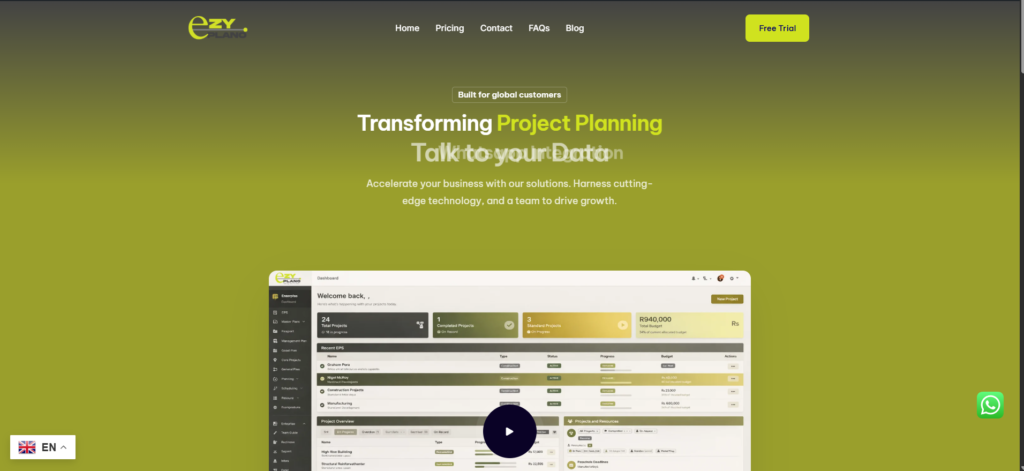
- Tools like EzyPlano build scheduling software for actual construction reality. Not perfect world scenarios. Messy job sites with weather, delays, changes, and chaos.
- What makes EzyPlano practical? Focus on what construction teams deal with daily. Easy crew management, equipment tracking, adapting to changes. Built for real work, not just looking pretty.
- For contractors wanting better organization without enterprise complexity, platforms like this deliver. Professional scheduling without needing IT departments to run it.
- Construction scheduling software isn’t about paperwork or bureaucracy. It’s managing complicated moving parts so projects finish on time and budget. Good software handles coordination so you focus on building quality work.
- Jobs complete faster. Crews know where they’re going. Materials show up when needed. Clients stay informed. That’s what matters.
Questions Contractors Ask
Does this work for small contractors or just big companies?
- Works great for small operations honestly. Even two or three crews benefit from better coordination. Prevents double-booking, tracks where equipment is, keeps material deliveries organized. You don’t need twenty job sites going. Smaller versions exist for smaller outfits without paying for features you won’t touch. If you’re juggling multiple projects or struggling with coordination, size doesn’t matter, better tools help.
What happens when the internet’s spotty on job sites?
- Good point since sites often have terrible connectivity. Better software works offline and syncs when connection returns. Crews can check schedules and update progress without the internet. Changes sync once they’re back in range. Ask about offline capabilities before committing. Cloud-only stuff that dies without the internet creates problems on remote sites.
How long before crews actually use it instead of ignoring it?
- Depends how well it works for them honestly. Software that genuinely makes their job easier? They adopt it within a couple weeks. Clunky confusing tools? They’ll find workarounds and ignore it forever. The key is picking something intuitive that solves real problems they face. Also helps when leadership actually uses it too instead of still calling for updates. Lead by example and crews follow.