Advanced Planning and Scheduling Software That Works The Best
Planning projects with spreadsheets is terrible. You have probably done it, sticky notes everywhere, Excel sheets that nobody updates, hoping everything somehow works out. Advanced planning and scheduling software fixes that mess, and going back to the old way feels crazy after you’ve tried it.
Here’s the thing though. Tons of businesses still do it the hard way. They’re updating Google Sheets manually, writing tasks on whiteboards, checking five different calendars. When you’re small, fine. But grow a bit? Everything falls apart.
What Planning Software Actually Does
- Spreadsheets hold information. That’s it. You type tasks in, add some dates, maybe color code stuff. But figuring out the actual plan? That’s all you. Who can do what? When they’re free. What order things need to happen. All brains work.
- Planning software does that thinking. You put in your projects and team members. It maps everything out. Spots conflicts you’d miss. Tells you when Mike has way too much on his plate. Catches problems before they blow up.
- Big difference from manually updating cells.
Why You’d Want This
- Stop wasting hours on scheduling. When you do it manually, you’re guessing constantly. Can Lisa handle two more tasks? Maybe? The software knows exactly what everyone’s doing. No double-booking. No sitting around waiting for work.
- Deadlines actually get met. The software knows task B can’t start until task A finishes. Keep everything in the right sequence. Those panic moments where you realize something should’ve happened first? Don’t happen anymore.
- Your resources get used right. Whether it’s people, machines, or materials, the system tracks what you have. You stop buying duplicate equipment or booking stuff that’s already in use somewhere else.
- Changes stop being disasters. Client switches requirements? Team member out sick? Software reshuffles the plan in minutes. You see the new schedule, what moved, who needs updates. Done.
Who Uses This Stuff
- Factories schedule their production with it. Which machines run when, what materials arrive, keeping everything moving without jams. Software handles that juggling act.
- Construction companies track job sites. Who’s where today, which equipment goes to which location, when inspectors show up. One site running late doesn’t wreck three others.
- Service businesses schedule technicians. Right skills, right tools, right appointment times. Everything lined up properly.
- Even marketing agencies use it. Campaign deadlines, client deliverables, making sure nobody’s working 80-hour weeks. Keeps the team sane while hitting dates.
What Matters When Picking Software
- Easy to change plans. If updating one task takes ten clicks, forget it. Nobody uses complicated tools. Good software lets you drag things around fast.
- Everyone sees the same current plan. Not yesterday’s version. Not the one Sarah has on her computer. The actual current one.
- Works with stuff you already have. Customer database, project tools, billing system. When things connect, you stop entering the same information multiple times.
- Check it from your phone. People aren’t sitting at desks all day anymore. Job sites, home offices, client meetings. I need to work everywhere.
Ezy Plano Gets It
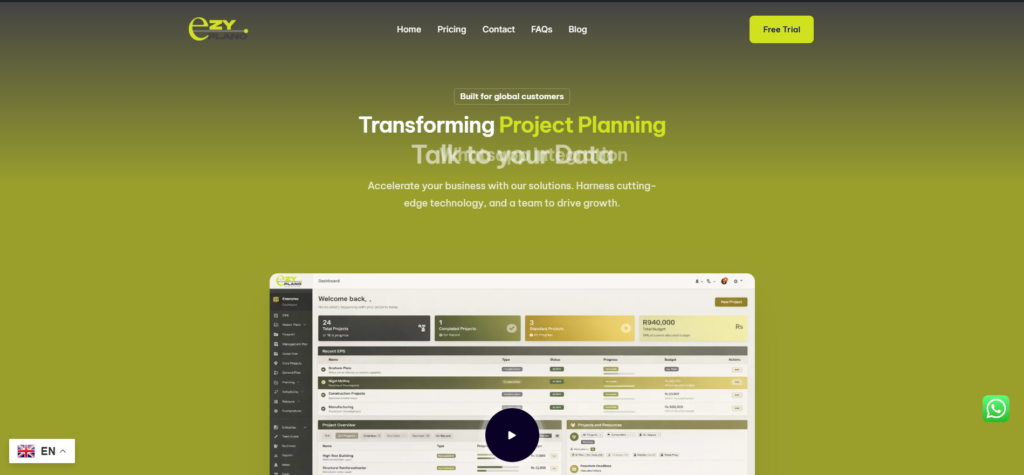
- Platforms like Ezy Plano make planning work for normal sized businesses. You don’t need corporate budgets or IT teams.
- What’s smart about tools like this? They skip the unnecessary junk. Give you planning power without drowning you in features. Interface makes sense without studying manuals.
- Growing companies trying to stay organized? Planning software helps a lot. Take on more clients without losing your mind.
Starting Out
- Still scheduling with basic tools? Count your hours spent planning each week. More than three or four? Time for better software. Also watch how often last-minute changes cause scrambling. That tells you plenty.
- Start small. One team. One project type. Get comfortable there first. Then expand when it makes sense.
- Use trial periods with real work. Not demos. Actual projects you’re doing. See if it solves actual problems you have.
- Advanced planning and scheduling software isn’t complicated for the sake of being complicated. It handles complicated stuff so you don’t have to. Takes mental load off people and puts it on a system designed for that job.
- Projects flow better. The team stops freaking out. You know what’s happening without digging through spreadsheets. Simple as that.
Questions About Planning Software
Setup time – how long really?
- Small operation? A day or two max. Bigger company with lots of dependencies? Maybe two weeks. Don’t make it perfect before starting. Get the basics working, improve as you go. Perfectionism just delays things.
Getting people to actually use it?
- People resist new stuff, especially when they’ve got their system. Pick software that’s genuinely easier than current methods. Saves time? They’ll use it. Makes life harder? They’ll find workarounds. Pick wisely.
Handling last-minute chaos?
- That’s literally what this does best. Change something, instantly see ripple effects. Adjust assignments, view new timeline right away. Beats spending an hour figuring out consequences manually.