Construction Project Scheduling Software Keeping Jobs Moving
Construction schedules fall apart fast without proper tracking. Crews show up to wrong sites, materials arrive at bad times, inspections get missed. Construction project scheduling software keeps everyone coordinated on what’s happening when, and contractors using it finally stop spending mornings on phone calls figuring out daily plans.
Most builders still coordinate schedules through calls and texts. Works okay for single simple jobs. Multiple projects with dependencies? Everything becomes chaotic fast.
The Daily Coordination Challenge
- Traditional scheduling means telling everyone individually where they work. Morning starts with twenty phone conversations. By afternoon, half the plan changed without everyone knowing.
- Construction project scheduling software makes schedules visible and accessible. Crews check assignments on phones, updates happen in real time, changes reach everyone simultaneously. Coordination without constant calling.
- Communication scaling with growth requires better tools than phone trees.
Why Construction Scheduling Different
- Office schedules rarely change dramatically. Construction schedules shift constantly. Weather delays, material issues, inspection results, client changes. Flexibility required.
- Fixed locations versus mobile work. Office workers at desks, construction crews moving between sites. Scheduling tools must work where work happens.
- Trade dependencies requiring coordination. Electricians can’t work until plumbers finish rough-in. Sequencing matters more than parallel scheduling.
- Weather affecting outdoor work. Rain stops concrete pours, wind prevents roofing. Schedule adjustments based on conditions normal not exceptional.
- Physical resource constraints. Can’t schedule excavators at two sites simultaneously. Equipment and material availability limits options.
Core Scheduling Capabilities
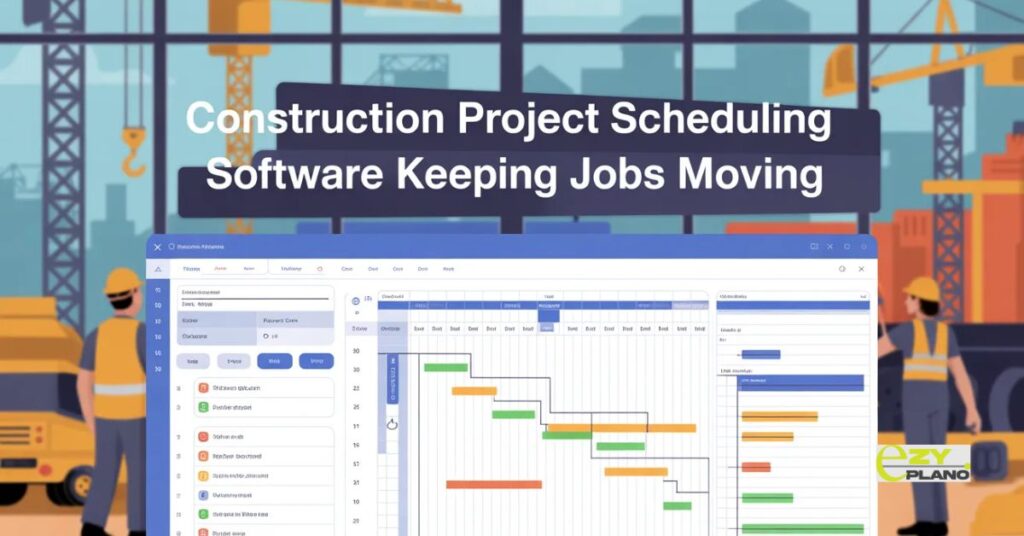
- Visual timeline everyone understands. See project schedule at glance. Gantt charts or calendars showing task sequences clearly.
- Mobile access from job sites. Foremen checking schedules from trucks. Crews seeing assignments without office visits.
- Real-time updates syncing instantly. Change assignment, everyone sees it immediately. No lag between update and notification.
- Dependency tracking prevents conflicts. System knows Task B requires Task A completion. Logical sequencing is enforced automatically.
- Resource allocation showing availability. See which crews and equipment scheduled where. Prevent double-booking before it happens.
- Weather integration for outdoor planning. Forecast visibility for job locations. Plan around rain without separate weather checks.
Different Contractor Needs
- Residential builders managing tract homes. Multiple houses at various stages. Crew rotation between properties coordinated systematically.
- Commercial contractors handling complex builds. Many trades, strict deadlines, penalty clauses. Precision scheduling prevents expensive delays.
- Remodelers with unpredictable timelines. Demo surprises, scope changes, occupied buildings. Flexible scheduling adapting to reality.
- Specialty contractors optimizing routes. Service calls, installations, maintenance work. Efficient scheduling maximizing billable time.
- General contractors coordinating subs. Multiple companies on projects. Master schedules keep everyone synchronized.
Making Scheduling Work
- Keep it simple and current. Complicated schedules nobody maintains become useless fast. Simple schedules kept updated beat elaborate stale plans.
- Mobile really matters in construction. Desktop-only means field workers don’t use it. Phone access determines adoption success.
- Visual clarity over detail. Clear simple schedules work better than information overload. Show what matters without cluttering.
- Realistic buffer time. Everything takes longer than best-case. Build slack into schedules accounting for normal delays.
- Crew input on durations. Foremen know how long tasks really take. Use their knowledge not software defaults.
- Regular schedule reviews with the team. Weekly look-ahead meetings. Coordinate upcoming week preventing surprises.
Common Scheduling Mistakes
- Scheduling without checking availability. Assigning crews without verifying they’re free. Double-bookings discovered too late.
- Ignoring travel time between sites. Back-to-back jobs across town. Crews arrive late making customers unhappy.
- Perfect weather assumptions. Scheduling as if rain never happens. No contingency for weather delays.
- Over-scheduling without a buffer. Every job goes perfectly in theory. Reality includes complications requiring flexibility.
- Not updating when things change. Schedule shifts but nobody updates the system. Stale information causing confusion.
- Forgetting inspection and permit timelines. Scheduling work before approvals are ready. Expensive idle time waiting for the government.
Integration Requirements
- Connects with planning tools. High-level project plans drive detailed schedules. Strategy and execution aligned.
- Works with customer management. Client information accessible during scheduling. Know preferences and history.
- Links to time tracking. Crews clock in at sites. Hours worked documented automatically for billing.
- Syncs with accounting systems. Labor costs and project expenses tracked. Financial visibility alongside schedule.
- Integrates with material ordering. Delivery timing coordinated with installation dates. Supplies arriving when needed.
Field Reality Considerations
- Spotty internet on remote sites. Offline capability essential. Schedules viewable without constant connection.
- Crew tech comfort varies. Older contractors are less comfortable with phones. Simple interfaces required for adoption.
- Job site conditions affecting use. Dirty hands, bright sun, noisy environments. Software must work in real conditions, not just offices.
- Quick updates without hassle. Mark tasks complete with one tap. Multi-step processes get skipped in the field.
- Photo documentation from sites. Take pictures documenting progress. Visual records for customers and issues.
Technology Evolution
- Cloud-based becoming standard. Access from anywhere with the internet. No servers or local infrastructure.
- Mobile-first design. Built for phones not adapted from desktop. Field work prioritized over office use.
- Real-time synchronization. Changes visible immediately everywhere. No batch updates or manual refreshing.
- GPS integration for location tracking. Verify crews at correct sites. Automatic time tracking by location.
- Voice commands emerging. Hands-free schedule updates. Useful in construction environments.
- AI suggesting optimizations. Software learning from patterns. Intelligent schedule recommendations based on history.
EZY PLANO For Construction Scheduling

- Platforms like EzyPlano design scheduling specifically for construction field work. Not generic calendars adapted for building. Purpose-built understanding construction workflows.
- What makes EzyPlano practical? Mobile-first for crews on sites, works offline for remote locations, simple enough for real adoption. Built for how construction actually happens, not idealized office scenarios.
- For contractors needing better daily coordination without complexity, tools like this work. Professional scheduling without requiring tech expertise from field workers.
- Construction project scheduling software succeeds when field workers actually use it. Good software fits how contractors work in real conditions. Bad software sits unused while everyone goes back to phone calls.
- Better scheduling means crews knowing where to be, customers getting updates easily, projects finishing on time. Tools should simplify daily coordination not complicate it.
Questions About Scheduling
How do we get crews to check schedules instead of calling?
- Make checking easier than calling. Simple mobile interface showing their assignments clearly. Also stop answering questions already in schedule, redirect them to software after a few times.
What about when schedules change multiple times daily?
- Real-time updates handle frequent changes. Software is better than phone calls for dynamic schedules. Everyone sees the current version automatically without individual notifications each time.
Can scheduling software handle weather delays automatically?
- Some systems suggest rescheduling outdoor work based on forecasts. But human judgment still needed deciding what moves and when. AI helps but doesn’t replace weather planning decisions.