Project Planning Software That Doesn’t Make Your Head Hurt

Managing projects with spreadsheets and emails is chaos. Things fall through the cracks, nobody knows who’s doing what, deadlines get missed. Project planning software fixes that mess, and once you start using it, working the old way feels impossible.
Lots of companies still plan with Excel and group chats. Someone makes a spreadsheet, shares it around, people maybe update it, maybe don’t. Information lives in different places. Nobody has the full picture.
What Planning Software Does Different
- Regular project planning is scattered everywhere. Tasks in one spreadsheet. Deadlines in another. Who’s doing what? Check your email. Budget tracking? Different files. Resources? Ask around.
- Project planning software puts everything in one spot. Tasks, timelines, people, budgets, files all there. Everyone sees the same information at the same time. Update something once, everybody knows.
- You stop hunting through emails and files trying to figure out what’s happening.
Why Projects Need This

- Nothing gets forgotten. When tasks live in someone’s head or scattered notes, stuff gets missed. Software tracks everything so nothing falls off the radar.
- Everyone knows their work. Team members see what they’re supposed to do and when it’s due. No more “I didn’t know I was handling that” excuses.
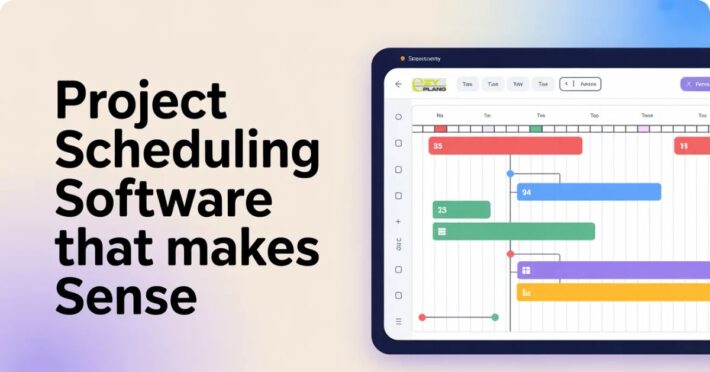
- Deadlines become real. Software shows how tasks connect. This needs finishing before that can start. When one thing runs late, you see what else gets affected immediately.
- Bottlenecks show up fast. Three tasks waiting on one person? Software makes that obvious. You can shift things around before it becomes a problem.
- Progress is visible. Managers see how projects are going without bugging everyone constantly. Team members know if they’re on track or falling behind.
- Communication gets easier. Instead of endless email chains, discussions happen right on tasks. Everyone relevant sees updates. Nothing gets lost in inboxes.
Where This Helps Most
- Remote teams benefit tons. When people work from different places, staying coordinated is hard. Planning software keeps everyone connected and informed no matter where they are.
- Multiple projects at once becomes manageable. Juggling five projects manually? Good luck. Software lets you track all of them without losing your mind.
- Client work stays organized. Show clients progress without digging through files. They see timelines, completed work, what’s coming next. Builds trust and reduces “where are we at” emails.
- Resource planning gets simpler. Who’s available next week? What equipment is free? Software tracks capacity so you don’t overbook people or double-book resources.
- Budget tracking happens in real time. See spending as it happens instead of finding out you’re over budget at the end. Make adjustments before money becomes a problem.
What Good Planning Software Needs
- Easy to understand. If your team needs training to use it, it’s too complicated. Good software makes sense quickly.
- Flexible views matter. Some people like lists. Others want calendars or charts. Let people see information how they think.
- Updates in real time. When someone changes a deadline, everyone sees it now, not tomorrow. Keeps things current.
- Works on phones. People check stuff away from desks. Mobile access isn’t optional anymore.
- Connect with tools you use. Your email, file storage, chat apps. When things talk to each other, you waste less time switching between programs.
Different Teams Using This
- Marketing teams track campaigns and content calendars. Who’s writing what, when it publishes, what stage everything’s in. Keeps content flowing without scrambling.
- Development teams manage sprints and releases. What features are being built, who’s coding what, when versions ship. Everyone stays synced.
- Event planners coordinate vendors, timelines, budgets. Tons of moving pieces that need perfect timing. Software keeps it all straight.
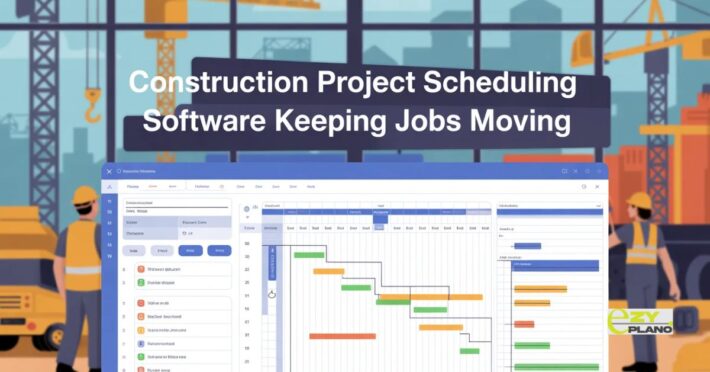
- Construction crews handle job sites, schedules, materials. Weather delays one job? See how it affects the whole schedule and adjust.
- Consultants manage client projects and deliverables. Multiple clients, different deadlines, various team members. Software prevents things from colliding.
How EZY Plano Approaches This
- Platforms like EZY plano Project planning software for teams that need simple but powerful tools. Not overloaded with features nobody uses. Just solid project management that works.
- What makes EZY plano different? Focus on what teams need daily instead of cramming in everything possible. Clean interface, straightforward features, gets out of your way so you can work.
- For growing companies trying to stay organized without enterprise complexity, these tools hit the sweet spot. Good planning without needing consultants to set it up.
Starting Smart
- Thinking about project planning software? Here’s what works.
- Map your current mess first. How do you plan now? Where does it break? What drives you crazy? Find software that fixes those specific problems.
- Start with one project type. Don’t move everything at once. Pick one kind of project, learn the tool there, then expand. Switching everything overnight just creates chaos.
- Get team input early. People who’ll use it daily should help pick it. If they hate it, they won’t use it no matter what you choose.
- Keep it simple at first. Use basic features to start. Don’t try configuring every advanced option right away. Get comfortable with fundamentals, add complexity later.
- Actually use it consistently. Half the team using software, half using email? Doesn’t work. Everyone needs to commit or you’re just adding another place where information lives.
- Project planning software isn’t about making work complicated. It’s about making complicated work manageable. Good tools bring order to chaos without adding more hassle.
- Projects finish on time more often. Teams know what they’re doing. Managers see problems coming. Communication improves. That’s why it matters.
Questions About Planning Software
- How long before my team gets used to new software?
- A couple weeks usually if the software’s decent. The first few days feel awkward because people are learning. After a week or two it becomes normal. Pick something intuitive and it goes faster. Choose something confusing and people fight it forever.
- What if my team ignores the software and keeps using old methods?
- Happens when software doesn’t solve real problems or makes things harder. If you pick tools that genuinely make their work easier, they’ll switch. Also helps when managers use it too instead of asking for updates through email. Lead by example.
- Do small teams really need planning software?
- Depends on the work. Three people doing simple stuff? Maybe not. Five people juggling multiple projects with dependencies and deadlines? Yeah, you need it. If you’re wasting time trying to coordinate or things are getting missed, team size doesn’t matter, you need better tools.