Employee Scheduling Software That Makes Managing People Easier

Running a team without a proper scheduling system is one of those problems that sneaks up slowly. When the team is small everything feels manageable. A quick message here. A shared calendar there. Someone keeps a rough roster and it mostly works.
Then the team grows. More shifts to fill. More availability to track. More people with different hours, different roles and different commitments outside work. The rough system that worked before starts creating more problems than it solves.
Employee scheduling software is what closes that gap. Not by overcomplicating how schedules get made but by removing the manual effort that makes the process harder than it needs to be.
Where Manual Scheduling Falls Apart
- The cracks appear in predictable places.
- Someone’s availability changes and the update does not reach the person building the roster in time. Two people end up scheduled for the same shift. A gap appears that nobody spots until the day itself.
- A busy period hits and the usual approach cannot keep up. More shifts to fill. More variables to balance. The person managing it all is spending hours on a task that should take thirty minutes.
- Employee scheduling software handles the moving parts that manual systems struggle with. Availability in one place. Conflicts flagged before the schedule goes out. Changes visible to everyone immediately without a phone chain to communicate them.
What the Team Actually Experiences
- Scheduling is one of those things that affects how people feel about their job without always being obvious about it.
- Late notice about shifts makes it hard to plan personal time. Inconsistent hours create uncertainty about income. Feeling like the schedule gets built without any consideration of individual availability breeds quiet frustration.
- None of these things feel dramatic on their own. But they contribute to whether someone feels valued at work or not. And that feeling has a direct effect on how long they stay.
- When shifts are communicated clearly and far enough in advance people can plan around them. When availability is taken into account rather than ignored the team feels that. Small things done consistently make a real difference to how settled a team is.
What to Look for When Choosing
- The most important thing is whether the whole team will actually use it. Not just the manager. Everyone.
- A scheduling tool that only the person building the roster uses is not really solving the problem. The team still needs to be contacted separately. Updates still need to be communicated manually. The tool saves one person some time and creates a slightly different version of the same problem for everyone else.
- Look for something with a clean mobile experience. Most people check their schedule on their phone, not a work computer. If accessing the roster requires logging into a desktop platform half the team will not bother.
- Shift swapping handled within the system matters more than it might seem upfront. When someone cannot make a shift the current process for sorting that out tells you a lot about how much admin the manager ends up absorbing. A good platform lets the team handle straightforward swaps without the manager getting pulled in every time.
The Overtime and Compliance Side
- Scheduling is not just about filling slots. It has a compliance dimension that manual systems handle poorly.
- Hours worked. Breaks required. Overtime thresholds. Maximum consecutive days. These are not just internal policies in many industries. They are legal requirements.
- Tracking all of that manually across a team of any size is genuinely difficult. Things get missed. Errors accumulate. The exposure is real even when it is unintentional.
- Good employee scheduling software tracks this automatically. Flags when someone is approaching overtime. Ensures break requirements are built into the schedule. Keep a clean record that is available if it is ever needed.
When the Business Runs Across Multiple Locations
- Single site scheduling is one challenge. Multi location scheduling is a different one entirely.
- Who is where? Which site needs more cover this week. Which staff can work across locations and which cannot. Whether a particular location is consistently understaffed on certain days.
- Managing that across separate spreadsheets or individual site rosters means nobody ever has the full picture. Decisions get made without the information needed to make them well.
- A platform that brings all locations into one view changes that. The person responsible for scheduling sees everything at once. Patterns become visible. Resources get allocated based on actual need rather than guesswork.
Getting the Most From Employee Scheduling Software
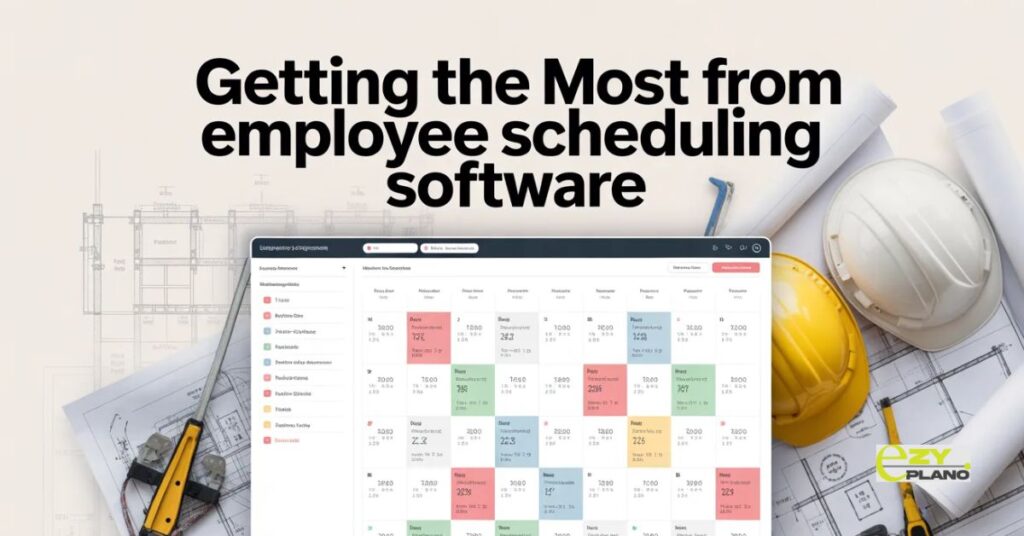
- The businesses that get real value from scheduling platforms tend to approach it the same way. They commit to it fully from the start. One system. Not one system plus the old spreadsheet running alongside it just in case.
- Half commitment produces half results. The data is never complete. The team gets mixed messages about which version of the schedule to follow. The problems the software was supposed to solve keep showing up because the old habits never fully went away.
- Employee scheduling software works when it becomes the single place where scheduling lives. Everything in. Everything is visible. Everyone works from the same information.
- EZY PLANO is a platform built for businesses that are serious about getting their team operations running properly. From shift planning to availability tracking it is designed for the realities of managing people across busy and often unpredictable working environments.
Questions Managers Ask
How do we handle staff who are not comfortable with technology?
- Pick a platform with a genuinely simple interface. Most people who say they are not comfortable with technology are actually not comfortable with complicated technology. Something clean and straightforward gets adopted far more easily than something powerful but confusing.
What happens when someone calls in sick at short notice?
- Good scheduling platforms make it easy to see who is available at short notice and notify them quickly. The manager is not left scrambling through contacts trying to find cover manually.
Can scheduling software handle part time and casual staff alongside full time employees?
- Yes. Most platforms are built to handle a mix of employment types and varying availability patterns. The key is making sure availability is kept up to date in the system so the schedule reflects reality accurately.