
Top 5 3D Building Design Software Worth Knowing in Construction
- Three dimensional building design has become standard practice across most of the construction industry. The question for most construction businesses is no longer whether to engage with 3D design but which tools serve their specific needs and how the design information those tools produce connects to how projects get planned and delivered.
- Finding the right fit among the top 5 3D building design software options requires understanding what each platform prioritizes and where its limitations sit rather than accepting that the most widely marketed option is the most suitable one for every business and every project type.
What to Understand Before Evaluating
- The 3D building design software market serves genuinely different needs with genuinely different platforms. A platform built for architectural design and client visualisation has different priorities from one built for structural engineering analysis. A tool designed for complex parametric geometry serves different projects from one designed for standard building types.
- Understanding which design challenge a specific business faces before evaluating platforms prevents the common mistake of choosing the most impressive option rather than the most appropriate one.
- The other consideration worth establishing upfront is how the design information produced by these tools connects to construction planning and project delivery. Design software that produces information rich models capable of informing quantity takeoff, construction sequencing and procurement planning delivers more value to the construction business than software that produces geometry alone.
Autodesk Revit
- Revit has become the dominant BIM authoring tool across most markets for reasons that reflect genuine capability rather than just marketing success.
- The information richness of Revit models is the primary differentiator. Elements in a Revit model are not just geometry. Walls know they are walls. Structural elements carry specification data. Doors contain information about their hardware and their relationship to the wall they sit in. That information content is what makes Revit models useful for quantity takeoff, construction coordination and procurement planning rather than just for design visualisation.
- The coordination capability that comes from information rich models is where Revit delivers its most significant construction value. Clash detection between architectural, structural and services models. Coordination of MEP service routes through structural zones. Verification that building elements from different design disciplines fit together spatially before construction begins.
- The trade offs are well documented. The learning curve is significant. The software is demanding on hardware. The licence cost reflects the enterprise positioning. For practices and contractors whose work justifies the investment the capability is genuine. For those whose work does not the investment may exceed the return.
- Best suited for architectural and engineering practices on commercial, healthcare, education and complex residential projects where BIM coordination and information rich models deliver measurable value.
Graphisoft ArchiCAD
- ArchiCAD has been a BIM authoring tool for longer than Revit and retains a loyal following particularly among architectural practices that prioritise design workflow alongside information management.
- The architectural design workflow in ArchiCAD is considered more intuitive by many architects than Revit’s approach. The transition from design exploration to documentation is smoother in ArchiCAD for practices whose primary work is architectural rather than multi discipline coordination.
- The information model in ArchiCAD is comparable to Revit in richness. Models produce the quantity data, the coordination capability and the documentation quality that construction businesses need from BIM authoring tools. The BIMcloud collaboration platform handles multi-user and multi-discipline workflows in ways that support larger project teams.
- The choice between ArchiCAD and Revit often reflects regional market norms and existing team skills as much as specific capability differences. In markets where ArchiCAD is the established standard the argument for switching to Revit rarely reflects a capability gap. In markets where Revit dominates the collaboration advantage of working in the same environment as most other project participants is real.
- Best suited for architectural practices that prioritise design workflow alongside BIM capability and for markets where ArchiCAD is the established standard.
Trimble SketchUp
- SketchUp sits at a genuinely different point on the capability and accessibility spectrum from the BIM authoring tools above.
- The interface is the most accessible of any significant 3D building design tool. Construction professionals who are not dedicated modellers can become productive in SketchUp in ways that Revit and ArchiCAD do not readily allow. That accessibility has made SketchUp the tool through which many construction businesses have their first practical experience of 3D building design.
- The information richness of SketchUp models in their basic form is less developed than Revit or ArchiCAD. Elements are primarily geometric rather than information bearing in the way BIM authoring tools produce. Extensions expand what is possible and some construction specific extensions add information capability that is not present in the base product.
- For construction businesses the practical value of SketchUp lies in design exploration, client visualisation and simpler construction types where the coordination challenge does not require full BIM authoring capability. The free browser based tier provides meaningful access for businesses at the early stages of 3D engagement without the investment that professional BIM tools require.
- Best suited for construction businesses exploring 3D design for the first time, for client visualisation on simpler project types and for design exploration where the primary requirement is communicating spatial intent rather than producing information rich construction documentation.
Bentley Systems AECOsim Building Designer
- Bentley’s building design tools serve a specific market segment that the Autodesk and Graphisoft tools do not address as directly.
- Infrastructure connected building design. Projects where the building sits within a larger infrastructure context. Industrial facilities. Process plants. Buildings with significant engineering services content that connects to broader infrastructure systems. These project types benefit from Bentley’s strength in infrastructure modeling alongside building design in ways that architectural focused tools do not provide as naturally.
- The integration with Bentley’s broader infrastructure design ecosystem is the primary differentiator. Organisations already using Bentley tools for infrastructure design find the integration with building design tools valuable. Those coming from a primarily building design context without existing Bentley infrastructure find less compelling reasons to choose Bentley over the more established building design platforms.
- Best suited for industrial, infrastructure connected and process facility projects where the connection between building design and broader infrastructure systems adds genuine value.
Vector works Architect
- Vectorworks serves a specific market that values the combination of 2D drafting capability and 3D modeling in a single environment without the full transition to BIM that Revit and ArchiCAD require.
- The hybrid 2D and 3D workflow suits practices that have not fully transitioned to model based design and delivery. The ability to work in either mode within the same tool reduces the disruption of partial BIM adoption. For practices in the middle of a BIM transition Vectorworks provides a path that does not require abandoning existing 2D workflows immediately.
- The 3D modeling capability is genuine and the BIM functionality supports the construction documentation and coordination workflows that the practice market requires. The entertainment, landscape and exhibition design markets are also well served by Vectorworks which reflects the tool’s origins in a broader design market rather than specifically in building construction.
- Best suited for practices in partial BIM transition that value combined 2D and 3D capability and for sectors adjacent to building construction where Vector works has established presence.
How Design Software Connects to Construction Planning
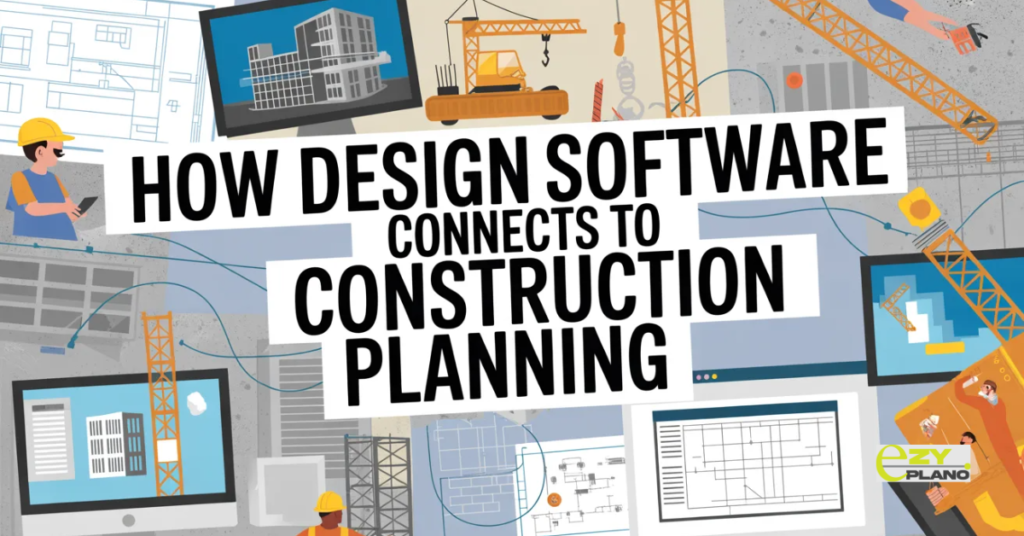
- The top 5 3D building design software options each produce models that contain varying amounts of information useful for construction planning beyond the geometry that defines what gets built.
- The connection between design software and construction planning matters because the businesses that get the most from their investment in 3D design are the ones where design information flows into planning decisions rather than existing as a separate asset that does not inform how the project gets built.
- Quantities from information rich models feeding procurement planning rather than requiring separate manual takeoff. Spatial relationships from coordinated models informing construction sequence rather than being determined by the planning team independently. Coordination information from clash detection informing programme risk rather than being discovered as site clashes during construction.
- These connections require planning tools that can receive and use design information rather than treating the two functions as completely separate. As 3D design becomes more common in construction operations the planning tools that work alongside the design environment rather than independently of it produce better outcomes.
- EZY PLANO is a platform built for construction businesses that want their planning to work as part of a connected project information environment. As the design tools that produce construction information become more capable the planning tools that can use that information become more important for delivering the projects that design information describes.
Questions Worth Asking
How do we choose between Revit and ArchiCAD for a practice starting BIM adoption?
- Consider the market context first. If most collaborating practices and contractors use one platform the collaboration advantage of matching that standard matters. If the market is mixed the design workflow differences between the platforms become more important than the market standard argument.
Can SketchUp serve as a business’s primary design tool for professional construction work?
- For simpler construction types and for client visualisation yes. For complex commercial construction where BIM coordination and information rich documentation are required the limitations of SketchUp’s information model become significant.
How do we make the information in 3D design models useful for construction planning rather than just for design documentation?
- Identify the specific planning information needed from the design model. Quantities. Spatial constraints. Element relationships. Then assess whether the current planning tools can consume that information directly or whether the connection requires additional tools or defined transfer processes.
